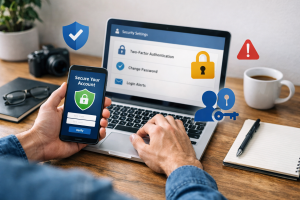
Online identity theft happens when someone steals and uses an individual’s personal identifying information without their consent, often for financial gain or fraud. This can have severe consequences, impacting a person’s credit score, financial stability, and even their reputation. Protecting your personal data is crucial in the digital age, where information is constantly being shared and accessed.
Contents
- 1 Understanding the Risks of Online Identity Theft
- 2 Common Tactics Used by Cybercriminals
- 3 Importance of Securing Your Online Accounts and Devices
- 4 Tips for Creating Strong and Unique Passwords
- 5 How to Recognize and Avoid Phishing Scams
- 6 Best Practices for Safeguarding Your Social Media Profiles
- 7 Securing Your Financial Information and Transactions
- 8 The Role of Two-Factor Authentication in Preventing Identity Theft
- 9 What to Do If You Suspect Your Identity Has Been Compromised
- 10 Staying Informed and Up to Date on Online Security Best Practices
- 11 FAQs
- 11.1 1. What are common tactics used by cybercriminals to steal personal data?
- 11.2 2. How can I identify and steer clear of phishing scams?
- 11.3 3. What are best practices for safeguarding my social media profiles?
- 11.4 4. What is the role of two-factor authentication in preventing identity theft?
- 11.5 5. How should I respond if I believe someone has compromised my identity?
Understanding the Risks of Online Identity Theft
The internet has opened up vast opportunities for communication, commerce, and entertainment. However, it has also created new avenues for criminals to exploit vulnerabilities and access sensitive data. Compromised personal information can be akin to handing over the keys to your digital home to unknown individuals. These individuals can then utilize your identity as a cover for their illicit activities, leaving you to bear the consequences.
The Value of Personal Data
In the digital marketplace, your personal data is a valuable commodity. Information such as your name, address, social security number, date of birth, and financial account details are gold for cybercriminals. They can use this information to open new credit accounts, file fraudulent tax returns, obtain loans, or even commit crimes in your name. The more pieces of your personal puzzle they collect, the easier it is for them to impersonate you effectively.
The Broad Scope of Consequences
The repercussions of identity theft extend far beyond immediate financial loss. A compromised identity can lead to significant damage to your credit history, making it difficult to secure loans, rent an apartment, or even get a job. The process of clearing your name and restoring your financial standing can be a long and arduous journey, often requiring extensive documentation and communication with various institutions. Furthermore, the emotional impact of discovering a breach in your personal life can be significant, resulting in stress, anxiety, and a sense of powerlessness. Imagine it as a persistent shadow that follows you, demanding constant vigilance to avoid.
Common Tactics Used by Cybercriminals
Cybercriminals employ various methods to obtain personal data. These tactics are often designed to appear legitimate, lulling victims into a false sense of security. Understanding these methods is the first step in defending against them.
Phishing and Spear Phishing
Phishing is a common technique where attackers impersonate trusted entities, such as banks, online retailers, or government agencies, through email, text messages, or social media. These messages often create a sense of urgency or fear, prompting the recipient to click on a malicious link or download an attachment. This link might lead to a fake website designed to steal login credentials or other sensitive information. Spear phishing is a more targeted form of phishing, where the attacker researches the victim and crafts a message specifically tailored to them, increasing the likelihood of success. For instance, a spear phishing email might reference a recent purchase or an upcoming appointment, making it seem more authentic.
Malware and Spyware
Malware, or malicious software, can be installed on your devices through various means, including infected email attachments, compromised websites, or even pirated software. Once installed, malware can quietly record your keystrokes, steal saved passwords, or grant attackers remote access to your computer. Spyware is a type of malware specifically designed to monitor your online activity and collect personal information without your knowledge. These programs operate in the background, like silent eavesdroppers on your digital conversations.
Data Breaches
Large organizations, including financial institutions, retailers, and social media platforms, are often targets for sophisticated cyberattacks. A data breach can expose vast amounts of personal information belonging to these organizations’ customers or users. Criminals can then sell this information on the dark web for their own fraudulent purposes. News of these breaches, though alarming, serves as a forceful reminder of the interconnectedness of our digital lives and the potential for widespread impact.
Social Engineering
Social engineering relies on psychological manipulation rather than technical hacking. Attackers might pose as IT support staff, government officials, or even someone in distress to trick individuals into revealing personal information or granting access to their systems. These tactics often exploit human kindness, trust, or fear. For example, a criminal might call pretending to be from a utility company, claiming there’s an outstanding bill and demanding immediate payment via gift cards to avoid service disconnection.
Importance of Securing Your Online Accounts and Devices
Your online accounts and devices are the gateways to your personal information. Securing your digital assets is as important as locking the doors of your home and protecting your valuables. Each account and device represents a potential entry point for identity thieves if not properly protected.
The Layered Defense Approach
Think of online security like building a fortress. Attackers may breach a single strong wall, but multiple layers of defense significantly increase the difficulty. This procedure includes strong passwords, up-to-date security software, and being mindful of what information you share. Each security measure acts as another moat, another battlement, adding to the overall resilience of your digital presence.
The primary goal of securing your accounts and devices is to prevent unauthorized access. Cybercriminals can access your emails, bank details, and other sensitive information when they compromise your accounts, which can result in identity theft and financial fraud. Strong security measures act as the vigilant guards at these digital gates, turning away unwelcome visitors.
Maintaining Privacy and Confidentiality
Beyond financial protection, securing your data is also about maintaining your privacy. Your online activities, communications, and personal details are part of your private life. Protecting them ensures that this information remains confidential and is not exploited for malicious purposes. It’s about safeguarding the contents of your digital diary from prying eyes.
Tips for Creating Strong and Unique Passwords
| Tip | Description |
|---|---|
| Use a mix of characters | Include uppercase and lowercase letters, numbers, and special characters. |
| Avoid common words | Avoid using easily guessed words or phrases. |
| Make it long | Use a password that is at least 12 characters long. |
| Use unique passwords | Use different passwords for different accounts to prevent a single breach from compromising multiple accounts. |
Passwords are the first line of defense for most online accounts. A weak or reused password is like a skeleton key that can unlock many doors. Creating strong and unique passwords for each of your accounts is a fundamental step in protecting your digital identity.
The Anatomy of a Strong Password
A strong password is not easily guessed. It should be a combination of uppercase and lowercase letters, numbers, and symbols. Avoid using easily identifiable personal information like your name, birthday, or common words. Aim for a password that is at least 12 characters long. The longer and more complex the password, the more combinations an attacker would have to try, making brute-force attacks significantly less effective. Imagine it as a complex tangle of characters that is exceedingly challenging to decipher.
The Danger of Password Reuse
One of the most common and dangerous security mistakes is reusing the same password across multiple accounts. A compromised account puts all other accounts using the same password at risk. This is akin to using the same key for your house, your car, and your office—if that key is lost or stolen, all your possessions are vulnerable. Each online service should have its own dedicated key, a unique password that only opens that specific digital door.
Utilizing Password Managers
Remembering dozens of unique, strong passwords can be a significant challenge. This is where password managers come in. These applications generate, store, and autofill strong, unique passwords for all your online accounts. You only need to remember one strong master password to access the password manager. A password manager is like having a highly secure vault that holds all your individual keys, and you only need to remember the combination to the vault itself.
How to Recognize and Avoid Phishing Scams
Phishing scams are designed to trick you into giving up sensitive information. Recognizing the signs of a phishing attempt is crucial for avoiding becoming a victim. These scams often prey on emotions like fear, urgency, or greed, mimicking legitimate communications.
Identifying Red Flags in Communications
Be wary of unsolicited emails or messages that create a sense of urgency, demand immediate action, or ask for personal information. Look for poor grammar, spelling mistakes, or generic greetings like “Dear Customer.” Legitimate organizations usually address you by your name and are less likely to ask for sensitive details via email. Also, scrutinize links before clicking them. Hovering your mouse cursor over a link in an email can often reveal the actual destination URL, which might be different from what the text suggests. If the URL looks suspicious or doesn’t match the supposed sender’s domain, it’s a strong indicator of a phishing attempt.
Verifying Authenticity
If you receive a suspicious communication from a known entity, do not reply directly or click on any links. Instead, go directly to the organization’s official website by typing the address into your browser or by using a trusted bookmark. Contact their customer service through a phone number found on their official website to verify the legitimacy of the message. This direct approach ensures you are interacting with the real entity and not a carefully crafted imitation.
Maintaining Skepticism
A healthy dose of skepticism is your best defense against phishing. Questioning unexpected requests for information, even if they seem to come from a trusted source, can save you from a costly mistake. Think of it as a detective’s instinct—always looking for inconsistencies and questioning the narrative presented.
Best Practices for Safeguarding Your Social Media Profiles
Social media platforms are repositories of personal information. Identity thieves can exploit these platforms, even though they are great for connecting with others. Securing your profiles is essential to prevent your data from falling into the wrong hands.
Reviewing Privacy Settings
Most social media platforms offer robust privacy settings that allow you to control who sees your posts, photos, and personal information. Take the time to thoroughly review and adjust these settings. Limit the visibility of personal details like your birthday, hometown, or workplace to friends only, or even restrict it further. Regularly check these settings, as platforms sometimes update their policies and default options.
Think carefully before posting sensitive information on social media. This includes details like your full address, phone number, travel plans, or even what pets you own (as pet names can sometimes be used in security questions). Criminals can collect and use any publicly shared information to create a profile of you and exploit your vulnerabilities. It’s like broadcasting your personal diary to the world—only share what you are comfortable with everyone seeing.
Limiting Friend Requests and Connections
Be selective about who you accept as a friend or connection on social media. Accepting requests from unknown individuals can grant them access to your profile and potentially lead to targeted attacks. It’s better to have a smaller, trusted network than a large, potentially compromised one.
Securing Your Financial Information and Transactions
Financial information is a primary target for identity thieves. Protecting your bank accounts, credit card details, and online payment activities is a critical component of safeguarding your identity.
Using Secure Payment Methods
When making online purchases, ensure that the website uses secure connections, indicated by “https://” in the website address and a padlock icon in your browser’s address bar. Avoid making financial transactions on public Wi-Fi networks, as these can be less secure and susceptible to interception.
Monitoring Financial Statements Regularly
Regularly review your bank and credit card statements for any unauthorized transactions. Please promptly report any suspicious activity to your financial institution. Early detection can significantly limit the damage caused by fraudulent activity. Think of it as a regular health check-up for your finances, catching any anomalies before they become serious illnesses.
Protecting Account Credentials
Never share your online banking or credit card login details with anyone. Be cautious of emails or messages asking you to “verify” your account information, as these are often phishing attempts.
The Role of Two-Factor Authentication in Preventing Identity Theft
Two-factor authentication, often abbreviated as 2FA, adds an extra layer of security to your online accounts. It requires users to provide two distinct forms of identification to verify their identity. This significantly bolsters security beyond just a password.
How Two-Factor Authentication Works
Typically, 2FA involves something you know (your password) and something you have (a code sent to your phone or generated by an authenticator app) or something you are (biometric data like a fingerprint). Even if a criminal obtains your password, they would still need access to your second factor to gain entry to your account. This is like having a deadbolt on your door that requires both a key and a special code to open.
Implementing 2FA Wherever Possible
Most major online services, including email providers, social media platforms, and financial institutions, offer 2FA. Make it a habit to enable 2FA on all your accounts that support it. The small inconvenience of an extra step is well worth the increased security it provides. By utilizing 2FA, you are building a much stronger barricade against unauthorized access.
What to Do If You Suspect Your Identity Has Been Compromised
Despite your diligent efforts, it’s possible that someone has compromised your identity. Knowing the right steps to take immediately can mitigate the damage.
Immediate Actions to Take
If you suspect identity theft, act swiftly. Change your passwords for all compromised accounts and any accounts that use the same password. Contact your financial institutions to alert them of the situation and consider placing a fraud alert on your credit reports. Filing a police report can also be beneficial.
Reporting and Documentation
Document everything. Keep records of all communications, including dates, times, and the names of individuals you speak with. This documentation will be crucial if you need to dispute fraudulent charges or seek legal recourse.
Restoring Your Identity
Restoring your identity can be a lengthy process. Be persistent and follow up with all relevant parties. The Federal Trade Commission (FTC) provides resources and guidance for victims of identity theft, which can be invaluable during this challenging period.
Staying Informed and Up to Date on Online Security Best Practices
The landscape of cyber threats is constantly evolving. New tactics and vulnerabilities emerge regularly. Staying informed about these changes is vital for maintaining effective online security.
Continuous Learning and Awareness
Make a commitment to staying informed about the latest online security threats and best practices. Follow reputable cybersecurity news sources, subscribe to newsletters from security experts, and pay attention to advisories from government agencies and technology companies. This ongoing education is like sharpening your tools; the better equipped you are, the better you can defend yourself.
Adapting Your Security Measures
As new threats emerge, you may need to adapt your security measures. This might involve updating your software, changing your passwords more frequently, or adopting new security tools. Proactive adaptation ensures your defenses remain robust against the ever-changing tactics of cybercriminals.
Educating Others
Share your knowledge and best practices with friends, family, and colleagues. By collectively improving online security awareness, we can create a safer digital environment for everyone. The more people who are vigilant and informed, the harder it becomes for cybercriminals to find victims.
FAQs
1. What are common tactics used by cybercriminals to steal personal data?
Cybercriminals use various tactics to steal personal data, including phishing scams, malware, social engineering, and data breaches. Cybercriminals can use these tactics to access sensitive information like passwords, financial details, and personal identification.
2. How can I identify and steer clear of phishing scams?
Phishing scams often involve fraudulent emails, text messages, or websites that appear to be from legitimate sources. To avoid falling victim to these scams, it’s important to carefully review the sender’s email address, avoid clicking on suspicious links or attachments, and verify the legitimacy of requests for personal information.
To safeguard your social media profiles, it’s important to review and adjust your privacy settings, be cautious about the information you share, avoid accepting friend requests from unknown individuals, and regularly update your passwords.
4. What is the role of two-factor authentication in preventing identity theft?
Two-factor authentication adds an extra layer of security to your online accounts by requiring a second form of verification, such as a code sent to your mobile device, in addition to your password. This can help prevent unauthorized access to your accounts, and reduce the risk of identity theft.
5. How should I respond if I believe someone has compromised my identity?
Act quickly if you suspect identity compromise. This may include notifying your financial institutions, changing your passwords, monitoring your accounts for suspicious activity, and reporting the incident to the appropriate authorities. Staying informed and up-to-date on online security best practices can also help prevent further damage.

Hamza Khan is the author and founder of TechFixLogic.info, a platform dedicated to providing practical software guides, tech solutions, and cybersecurity awareness. With a strong interest in technology and digital security, Hamza focuses on creating easy-to-understand tutorials that help users fix software issues, improve their digital skills, and stay safe online.
Through TechFixLogic.info, he shares step-by-step guides, troubleshooting tips, and cybersecurity insights designed for beginners as well as regular computer users. His goal is to simplify technology and make reliable tech knowledge accessible to everyone.