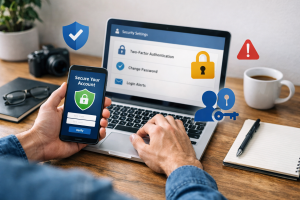
File encryption is a process that transforms data into an unreadable format, known as ciphertext. This transformation is achieved through an algorithm and a key. Only individuals possessing the correct key can decrypt the data, returning it to its original, intelligible form, known as plaintext. This fundamental principle underpins the security provided by encryption, acting as a digital lock on your information.

Contents
- 1 Understanding the Importance of File Encryption
- 2 Exploring Advanced Encryption Methods
- 3 Choosing the Right Encryption Software
- 4 Best Practices for Implementing File Encryption
- 5 Balancing Security and Accessibility with Encryption
- 6 FAQs
- 6.1 What is file encryption, and why is it important?
- 6.2 What are some advanced encryption methods that can be used to protect files?
- 6.3 How do I choose the right encryption software for my files?
- 6.4 What are the best practices for implementing file encryption?
- 6.5 What are the future trends in file encryption technology?
Understanding the Importance of File Encryption
We cannot overstate the importance of file encryption in the contemporary digital landscape, where data breaches and cyberattacks are frequent occurrences. Consider your digital files as physical documents in a safe. Without a lock, anyone can access them. Encryption acts as a lock, guaranteeing the confidentiality of your files’ content even in the event of compromise.
Protecting Your Files from Cyber Threats
Cyber threats encompass a wide range of malicious activities, including ransomware, malware, and unauthorized access attempts. Ransomware, for example, encrypts a user’s files and demands payment for their release. While encryption may seem counterintuitive in this scenario, properly implemented file encryption prior to a ransomware attack can render the attacker’s second layer of encryption redundant, as your files are already secured by your chosen method. Malware, designed to steal or corrupt data, can be thwarted in its objective if the data it accesses is encrypted. Malware can exfiltrate encrypted files, but without the decryption key, the data remains unintelligible. Unauthorized access, whether through network intrusion or physical device theft, poses a significant risk. If a thief steals a laptop containing sensitive unencrypted documents, they can immediately access the data. With encryption, the stolen device becomes a locked box, its contents unreadable to the thief.
The Role of Encryption in Data Privacy
Data privacy is a growing concern, driven by increasing public awareness of how personal information is collected, stored, and used. Encryption is a cornerstone of data privacy, as it directly addresses the confidentiality aspect. Encrypting your personal data enhances its privacy by limiting its view to only authorized individuals. Sensitive personal information, including financial records, medical histories, and personally identifiable information (PII), requires special attention. Protecting this data through encryption helps individuals maintain control over their digital footprint and prevent its misuse. Without encryption, your private thoughts, communications, and personal details are vulnerable to exposure, eroding your sense of digital security and autonomy.
Encrypting Files for Compliance and Regulation
Many industries are subject to stringent regulations regarding data security and privacy. Compliance frameworks such as GDPR (General Data Protection Regulation), HIPAA (Health Insurance Portability and Accountability Act), and PCI DSS (Payment Card Industry Data Security Standard) mandate specific measures for protecting sensitive data. Encryption is often a non-negotiable requirement within these regulations. For instance, HIPAA requires healthcare providers to safeguard protected health information (PHI), and encryption is a primary method for achieving this. Failure to comply with these regulations can result in substantial fines and reputational damage. By encrypting relevant files, organizations demonstrate due diligence in protecting sensitive data, fulfilling their legal and ethical obligations.
Exploring Advanced Encryption Methods
Beyond basic password protection, advanced encryption methods offer robust security features. These methods utilize complex mathematical algorithms to scramble data, making it extremely difficult to crack without the correct key.
Symmetrical vs. Asymmetrical Encryption
The fundamental distinction in encryption lies between symmetrical and asymmetrical methods. Symmetrical encryption uses a single key for both encryption and decryption. Imagine if a single key could be used for both locking and unlocking a door. This method is generally faster and more efficient for large volumes of data. Examples include AES (Advanced Encryption Standard). The challenge with symmetrical encryption lies in securely sharing the key. If the key is intercepted, the encryption is compromised.
Asymmetrical encryption, also known as public-key cryptography, uses a pair of keys: a public key and a private key. Data encrypted with the public key can only be decrypted with the corresponding private key, and vice versa. Think of a mailbox with two slots: anyone can put a letter in (encrypt with the public key), but only the person with the specific mail key can open the box and read the letter (decrypt with the private key). This system solves the key distribution problem inherent in symmetrical encryption, as the public key can be freely shared without compromising security. RSA (Rivest–Shamir–Adleman) is a widely used asymmetrical algorithm. Hybrid encryption systems often combine both methods, using asymmetrical encryption to securely exchange a symmetrical key, which is then used for bulk data encryption.
Understanding Hashing and Digital Signatures
While not strictly encryption, hashing and digital signatures are closely related concepts that enhance data security. Hashing transforms data into a fixed-size string of characters, known as a hash value or digest. This process is one-way; it is computationally infeasible to reconstruct the original data from its hash. Hashing is used to verify data integrity. If a file is altered, its hash value will change, indicating tampering. Think of a fingerprint for a file.
Digital signatures use asymmetrical encryption to verify the authenticity and integrity of a digital document or message. The sender encrypts a hash of the document with their private key to make a digital signature. The recipient uses the sender’s public key to decrypt the signature and then computes their own hash of the received document. If the two hashes match and the signature decrypts successfully, it confirms that the document originated from the sender and has not been altered in transit. This procedure provides non-repudiation, meaning the sender cannot deny having sent the data.
Choosing the Right Encryption Software
The selection of encryption software depends on your specific needs, the type of data you wish to protect, and your technical proficiency. Various options exist, ranging from built-in operating system features to dedicated third-party applications.
File System Encryption vs. Full Disk Encryption
When considering how to encrypt your data, it’s important to distinguish between file system encryption and full disk encryption. File system encryption operates at the file or folder level, encrypting individual items within your storage. This allows for selective encryption, where only particular sensitive files are secured. Tools like Microsoft’s Encrypting File System (EFS) or Apple’s FileVault can facilitate this.
Full disk encryption (FDE), on the other hand, encrypts the entire storage drive, including the operating system, applications, and all user data. This offers a more comprehensive security layer, safeguarding all data on the drive while it’s at rest. FDE guarantees that a lost or stolen device cannot access any data without the decryption key or passphrase. Popular FDE solutions include Microsoft BitLocker and Apple FileVault (which also offers FDE capabilities). While FDE offers strong protection, it can sometimes introduce a slight performance overhead. However, for most modern systems, this impact is negligible.
Selecting Third-Party Encryption Solutions
For users requiring more granular control, cross-platform compatibility, or advanced features, third-party encryption software can be a suitable choice. These solutions often provide capabilities such as portable encrypted containers, secure data shredding, and support for various encryption algorithms. When evaluating third-party software, consider factors such as the vendor’s reputation, the strength of the encryption algorithms used (e.g., AES-256), ease of use, and compatibility with your operating system. Open-source solutions like VeraCrypt are often favored by privacy-conscious users due to their transparency and community auditing. Proprietary solutions often come with technical support and user-friendly interfaces, but their internal workings are not always publicly verifiable. Always ensure the software you choose is regularly updated to address potential vulnerabilities.
Best Practices for Implementing File Encryption
| Best Practices for Implementing File Encryption |
|---|
| 1. Use strong encryption algorithms such as AES |
| 2. Implement key management and rotation |
| 3. Encrypt data at rest and in transit |
| 4. Use secure and validated encryption libraries |
| 5. Regularly audit and monitor encryption processes |
Implementing file encryption effectively involves more than just enabling a setting. It requires adherence to best practices to ensure optimal security and usability.
Strong Key Management
The strength of your encryption hinges on the security of your encryption keys. A strong key is like a robust lock. If the key is weak or easily compromised, the lock offers little protection. Always use strong, unique passwords or passphrases for your encryption keys. These should be complex, combining uppercase and lowercase letters, numbers, and symbols, and should not be easily guessable or reused across different services. Consider using a reputable password manager to generate and store these keys securely. Avoid writing down keys or storing them in unencrypted plain text files. For critical data, consider multi-factor authentication (MFA) to further secure access to your encrypted files or encryption software. Regularly rotating your encryption keys, where feasible, adds another layer of security, ensuring that even if an old key is compromised, current data remains secure.
Regular Backups of Encrypted Data
Even with robust encryption, data loss can occur due to hardware failure, accidental deletion, or software corruption. Therefore, regular backups are essential. When backing up encrypted data, ensure that the backups themselves are also encrypted or stored in a secure manner. Backing up encrypted files means that even if your backup media falls into the wrong hands, the data remains protected. Consider an “off-site” backup strategy, where a copy of your encrypted data is stored in a separate physical location, mitigating risks from local disasters such as fire or theft. Testing your backup and recovery process periodically is also crucial to ensure that you can successfully restore your encrypted data when needed. A backup that cannot be restored is no backup at all.
Balancing Security and Accessibility with Encryption
While encryption offers unparalleled security, it can introduce challenges related to accessibility and usability. Striking the right balance is key to a sustainable encryption strategy.
User Experience Considerations
The primary hurdle for many users adopting encryption is the perceived complexity and inconvenience. Overly complicated encryption processes or cumbersome key management can lead to user frustration and, ultimately, abandonment of security measures. Modern encryption software strives to simplify the user experience, offering intuitive interfaces and seamless integration with operating systems. Features like single sign-on for encrypted drives or transparent encryption (where files are automatically encrypted/decrypted in the background) can significantly improve usability without compromising security. When implementing encryption within an organization, providing adequate training and support to users is essential to foster adoption and minimize errors. The goal is to make encryption a natural part of the workflow, rather than a burdensome extra step.
Implementing Encryption in Collaborative Environments
Collaborative environments, where multiple users need to access and modify the same files, present unique challenges for encryption. Symmetrical encryption, which uses a single shared key, might seem suitable, but securely distributing and managing that key among many users can be problematic. Public-key cryptography offers a more robust solution in these scenarios. For instance, a secure file-sharing system could encrypt files with the public keys of all authorized collaborators. Alternatively, a shared encrypted container or cloud storage solution with robust access controls can be employed. The key is to ensure that while collaborators can access and work with the data, the underlying encryption remains intact and only authorized individuals can decrypt the information. Careful planning and the selection of appropriate tools are crucial to ensure that collaboration does not inadvertently undermine the security benefits of encryption. Regular audits of access permissions are also vital in such environments.
FAQs
What is file encryption, and why is it important?
File encryption is the process of converting data into a code to prevent unauthorized access. It is important because it helps protect sensitive information from being accessed by unauthorized users, thereby safeguarding data privacy and security.
What are some advanced encryption methods that can be used to protect files?
Some advanced encryption methods include AES (Advanced Encryption Standard), RSA (Rivest-Shamir-Adleman), and ECC (Elliptic Curve Cryptography). These methods use complex algorithms to secure data and are widely used for file encryption.
How do I choose the right encryption software for my files?
When choosing encryption software, consider factors such as the level of security it provides, compatibility with your operating system, user-friendliness, and additional features such as file shredding and password management. It’s important to select software from reputable vendors with a track record of security.
What are the best practices for implementing file encryption?
Best practices for implementing file encryption include using strong and unique passwords, regularly updating encryption software, encrypting data at rest and in transit, and providing training to employees on encryption protocols and best practices.
What are the future trends in file encryption technology?
Future trends in file encryption technology include the integration of quantum-resistant algorithms to protect against quantum computing threats, the use of homomorphic encryption for secure data processing, and advancements in encryption key management for enhanced security.

Hamza Khan is the author and founder of TechFixLogic.info, a platform dedicated to providing practical software guides, tech solutions, and cybersecurity awareness. With a strong interest in technology and digital security, Hamza focuses on creating easy-to-understand tutorials that help users fix software issues, improve their digital skills, and stay safe online.
Through TechFixLogic.info, he shares step-by-step guides, troubleshooting tips, and cybersecurity insights designed for beginners as well as regular computer users. His goal is to simplify technology and make reliable tech knowledge accessible to everyone.