

Project management software (PMS) provides tools for planning, executing, and tracking projects. It helps individuals and teams manage tasks, resources, and schedules to achieve project goals. The software centralizes project information, fostering communication and collaboration among stakeholders. Its use spans various industries, from software development to construction and marketing.
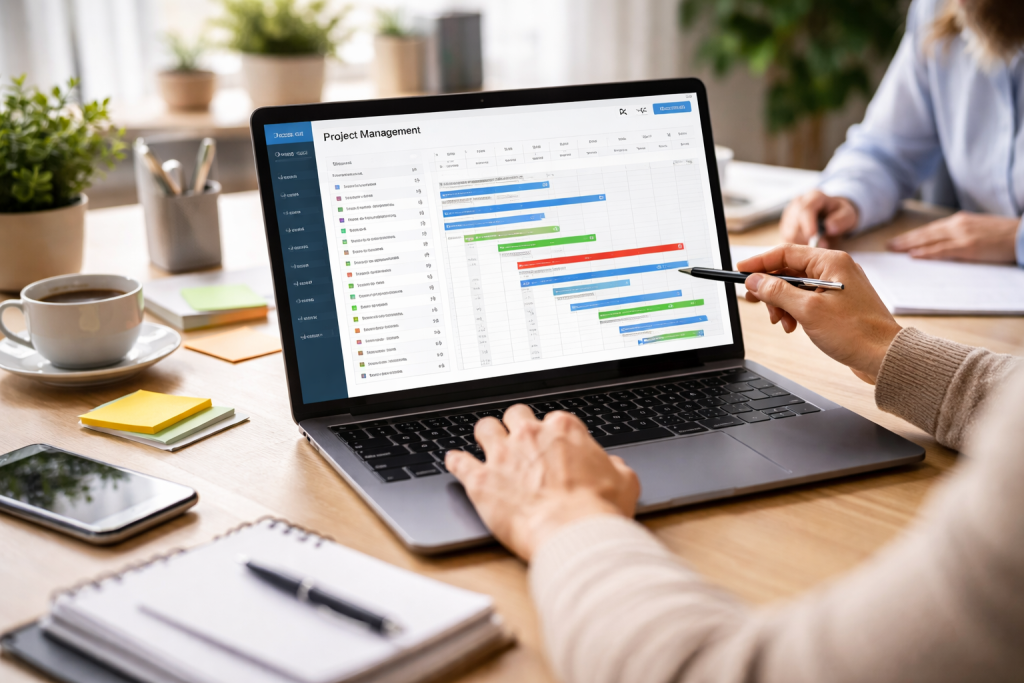
Project management software acts as a central hub for all project-related activities. Think of it as a control tower for a busy airport. Just as air traffic controllers rely on integrated systems to manage arrivals and departures, project managers use PMS to oversee tasks, deadlines, and resources. Without such a system, projects can easily become chaotic, leading to missed deadlines and increased costs.
Early forms of project management relied on manual methods like Gantt charts drawn on paper or whiteboards. While effective for smaller, simpler projects, these methods struggled with complexity and scale. The advent of personal computers and networking technologies paved the way for digital solutions. The first dedicated project management software emerged in the 1980s, offering features like scheduling and resource allocation. Over time, these tools evolved, incorporating sophisticated features such as collaboration platforms, reporting tools, and integration capabilities.
Contents
- 0.1 History and Evolution of Project Management Tools
- 0.2 Core Functions of Project Management Software
- 0.3 Identifying Team Needs and Project Scope
- 0.4 Considering Budget and Scalability
- 0.5 Evaluating Integration Capabilities and User Adoption
- 0.6 Task Management and Workflow Automation
- 0.7 Collaboration and Communication Tools
- 0.8 Reporting, Analytics, and Customization
- 0.9 Planning the Implementation Process
- 0.10 Data Migration and System Setup
- 0.11 Training and Ongoing Support
- 0.12 Artificial Intelligence and Machine Learning Integration
- 0.13 Enhanced Collaboration and Remote Work Capabilities
- 0.14 Low-Code/No-Code Development and Customization
- 0.15 Predictive Analytics and Risk Management
- 1 FAQs
- 1.1 What is project management software?
- 1.2 What are the benefits of using project management software?
- 1.3 What features should I look for in project management software?
- 1.4 How can project management software help my business succeed?
- 1.5 What are the current trends and innovations in project management software?
History and Evolution of Project Management Tools
The journey of project management tools reflects the changing demands of businesses. The need for greater efficiency and adaptability has driven the evolution from rudimentary spreadsheet-based systems to today’s cloud-native, AI-powered platforms. Early tools prioritized individual task management, but as projects became more complex and team sizes increased, the focus shifted to collaboration and communication. The internet’s proliferation facilitated the development of web-based and cloud-hosted solutions, making project data accessible from anywhere.
Core Functions of Project Management Software
At its core, project management software offers several fundamental functions. Task management allows for the decomposition of large projects into smaller, manageable tasks, assigning owners, and setting deadlines. Scheduling features, often visualized through Gantt charts or Kanban boards, help users understand the project timeline and identify critical path items. Resource management allocates personnel, equipment, and budget to specific tasks, preventing overallocation or underutilization. Communication and collaboration tools facilitate real-time updates, document sharing, and discussion threads, keeping everyone informed. Reporting and analytics offer feedback on project progress, identifying potential roadblocks and informing decision-making.
Selecting the appropriate project management software is a strategic decision that impacts team efficiency and project success. It is not a one-size-fits-all solution; the best fit depends on your team’s specific needs, project types, and organizational culture. Consider this process like finding the right tool for a specific job. You wouldn’t use a hammer to turn a screw; similarly, you shouldn’t adopt a complex enterprise solution for a small, agile team.
Identifying Team Needs and Project Scope
Before evaluating software, define your team’s requirements. What kind of projects do you typically undertake? Are they long-term and complex, or short-term and iterative? How many team members will be using the software? What level of reporting and analytics is necessary for your stakeholders? For instance, a software development team might prioritize features like agile boards and version control integration, while a marketing team might need robust campaign tracking and content calendars. Clearly understanding your pain points and desired outcomes will narrow down the options.
Considering Budget and Scalability
Budgetary constraints are a practical consideration. Project management software often comes with various pricing models, including per-user subscriptions, tiered plans, or even one-time licenses for self-hosted solutions. Beyond the initial cost, consider potential hidden fees for integrations, additional storage, or premium support. Scalability is another vital factor. Will the software accommodate your team’s growth? Can it handle an increasing number of projects and users without performance degradation? Choosing a solution that can grow with your organization prevents the need for a costly migration later.
Evaluating Integration Capabilities and User Adoption
Project management software usually connects with other tools. It needs to connect with other tools your team uses, such as communication platforms, file storage systems, CRM software, or accounting applications. Seamless integrations reduce manual data entry and improve workflow efficiency. User adoption is critical for the success of any new software implementation. An intuitive interface, clear documentation, and readily available support can significantly influence how quickly and effectively your team embraces the new tool. Conduct pilot programs or offer training to ensure a smooth transition.
The landscape of project management software is diverse, offering a wide array of features. While core functionalities are common across platforms, specific features can differentiate solutions and better align with your project management methodology.
Task Management and Workflow Automation
Effective task management is the backbone of any project. Look for software that allows for granular task creation, assignment, due dates, and dependencies. Features like subtasks, checklists, and recurring tasks can further streamline operations. Workflow automation helps eliminate repetitive manual tasks. For example, automatic reminders for overdue assignments, or triggering specific actions upon task completion, can save time and reduce errors. Imagine a conveyor belt in a factory; workflow automation ensures that each step in the manufacturing process flows smoothly without manual intervention for every single item.
Collaboration and Communication Tools
Projects are inherently collaborative. The software should facilitate seamless communication among team members and stakeholders. Features like in-app messaging, discussion boards, real-time document co-editing, and file-sharing capabilities are essential. The ability to comment directly on tasks or documents fosters context-rich discussions and reduces the need for external communication channels, consolidating all project-related conversations in one place.
Reporting, Analytics, and Customization
Data-driven decision-making is crucial for project success. Robust reporting and analytics features offer details about project progress, resource utilization, and potential risks. Dashboards with customizable widgets allow you to visualize key performance indicators (KPIs) relevant to your project. Look for the ability to generate various reports, such as progress reports, budget reports, and time tracking reports. Customization options, such as custom fields, workflows, and templates, allow you to tailor the software to your specific organizational needs and project types.
Implementing new software requires careful planning and execution to ensure a smooth transition and maximize its benefits. It’s like introducing a new instrument to an orchestra; everyone needs to learn how to play together for harmony to emerge.
Planning the Implementation Process
Initiate the integration process with a clear plan. Define the scope of the implementation, identify key stakeholders, and establish a realistic timeline. Consider conducting a phased rollout, starting with a pilot team before expanding to the entire organization. This allows for early identification and resolution of issues. Document your existing project management processes to identify opportunities for optimization and ensure the new software aligns with desired workflows.
Data Migration and System Setup
If you are transitioning from an existing system, data migration is a critical step. Carefully plan how to transfer existing project data, tasks, and historical information to the new software. Ensure data integrity and accuracy throughout this process. System setup involves configuring user roles and permissions, setting up project templates, and integrating with other essential business applications. A well-configured system lays the foundation for efficient operation.
Training and Ongoing Support
User training is paramount for successful adoption. Provide comprehensive training sessions for all users, covering basic functionalities, advanced features, and best practices. Create accessible resources such as user manuals, FAQs, and video tutorials. Establish a dedicated support system for ongoing assistance. This could include an internal help desk, access to vendor support, or a designated power user who can answer questions and troubleshoot issues. Continuous learning and support ensure that users effectively leverage the software’s capabilities.
The project management software landscape is dynamic, driven by technological advancements and evolving business needs. As we move forward, a number of trends stand ready to influence its future.
Artificial Intelligence and Machine Learning Integration
Artificial intelligence (AI) and machine learning (ML) are becoming increasingly prevalent in project management software. AI can automate repetitive tasks, such as scheduling meetings, assigning duties based on past performance, and generating basic reports. ML algorithms can analyze historical project data to predict potential risks, identify bottlenecks, and offer recommendations for optimizing project timelines and resource allocation. Imagine a co-pilot for your project, suggesting the best route and alerting you to turbulence ahead. This process can lead to more efficient planning and proactive problem-solving.
Enhanced Collaboration and Remote Work Capabilities
The rise of remote and hybrid work models has amplified the need for robust collaboration tools. Future project management software will likely offer even more sophisticated features for distributed teams, such as enhanced virtual whiteboards, advanced video conferencing integrations, and real-time co-editing across a broader range of document types. Expect improvements in features that promote a sense of group cohesion and shared understanding, regardless of geographical location.
Low-Code/No-Code Development and Customization
The demand for adaptable software is growing. Low-code and no-code platforms allow users without extensive programming knowledge to build custom workflows, integrations, and even tailored applications within the project management environment. This trend empowers business users to customize their tools to fit specific needs, reducing reliance on IT departments and accelerating innovation. This democratization of development enables project managers to precisely shape their software to meet the unique requirements of their projects.
Predictive Analytics and Risk Management
Beyond retrospective reporting, future project management software will emphasize predictive analytics. By leveraging vast amounts of project data and external factors, these tools will be able to forecast project outcomes with greater accuracy, identify potential risks before they materialize, and suggest mitigation strategies. This proactive approach to risk management will allow project managers to navigate uncertainties with more foresight and control, reducing surprises and improving overall project success rates. These innovations will transform project management from a reactive exercise into a highly predictive and strategic endeavor.
FAQs
What is project management software?
Project management software is a tool that helps teams plan, organize, and manage their work. It allows for collaboration, task assignment, scheduling, and tracking of progress on various projects.
What are the benefits of using project management software?
Using project management software can help teams streamline their workflow, improve communication and collaboration, track progress more effectively, and ultimately boost productivity and efficiency.
What features should I look for in project management software?
When choosing project management software, it’s important to look for features such as task management, scheduling, collaboration tools, reporting and analytics, integration with other tools, and customizable workflows to fit your team’s specific needs.
How can project management software help my business succeed?
Project management software can drive success for businesses by improving project delivery, increasing efficiency, enhancing collaboration among team members, providing better visibility into project progress, and ultimately helping to meet deadlines and achieve goals.
What are the current trends and innovations in project management software?
Some current trends and innovations in project management software include the use of artificial intelligence for task automation and predictive analytics, the integration of agile methodologies, the rise of mobile and cloud-based solutions, and the focus on user-friendly interfaces for better adoption.

Hamza Khan is the author and founder of TechFixLogic.info, a platform dedicated to providing practical software guides, tech solutions, and cybersecurity awareness. With a strong interest in technology and digital security, Hamza focuses on creating easy-to-understand tutorials that help users fix software issues, improve their digital skills, and stay safe online.
Through TechFixLogic.info, he shares step-by-step guides, troubleshooting tips, and cybersecurity insights designed for beginners as well as regular computer users. His goal is to simplify technology and make reliable tech knowledge accessible to everyone.


