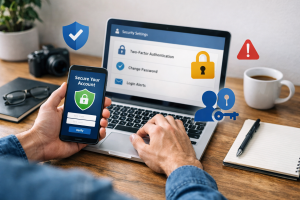
The digital world offers numerous conveniences but also presents significant security challenges. As technology integrates more deeply into daily life, the risk of cyber attacks increases. This document outlines essential strategies for protecting digital assets and personal information from malicious actors.

Contents
- 1 Understanding the Threat: The Rise of Cyber Attacks
- 2 Fortifying Your Digital Defenses: Essential Practices
- 3 Protecting Your Personal Data: Safeguarding Sensitive Information
- 4 Maintaining Digital Hygiene: Continuous Practices for Security
- 5 Promoting Digital Literacy: Educating Yourself and Your Family
- 6 FAQs
- 6.1 1. What are the best strategies for defending against hackers in the digital world?
- 6.2 2. Why is it important to have strong passwords and use two-factor authentication?
- 6.3 3. What are the best practices for securing computers, smartphones, and tablets from cyber attacks?
- 6.4 4. How can individuals safeguard their personal data and sensitive information from hackers and scams?
- 6.5 5. What role do antivirus software, firewalls, and regular software updates play in digital defense?
Understanding the Threat: The Rise of Cyber Attacks
Cyber threats have evolved significantly, moving beyond simple computer viruses to sophisticated, targeted attacks. These attacks can compromise personal data, financial accounts, and even critical infrastructure. The motivation behind cyberattacks varies, including financial gain, espionage, political activism, and simply causing disruption. Individuals and organizations are equally vulnerable. Ransomware, phishing, and identity theft represent common attack vectors. The digital landscape is a complex environment; understanding its dangers is the first step toward defense.
Common Cyber Attack Types
Cyber attacks manifest in various forms. Phishing attempts, where attackers send deceptive communications to trick recipients into revealing sensitive information, are prevalent. Malware encompasses a range of malicious software designed to disrupt computer operations, gather sensitive information, or gain unauthorized access to computer systems. Ransomware, a specific type of malware, encrypts a victim’s files and demands payment for their release. Distributed Denial of Service (DDoS) attacks overwhelm a system with traffic, rendering it inaccessible. These diverse threats necessitate a multi-layered defense approach.
The Evolution of Cybercrime
Cybercrime has transformed from isolated incidents perpetrated by individual actors to a highly organized industry. Criminal organizations now employ advanced techniques and exploit vulnerabilities on a large scale. They leverage automation, artificial intelligence, and sophisticated social engineering tactics to increase the effectiveness of their attacks. This evolution means that basic security measures are no longer sufficient; a proactive and comprehensive strategy is required. The digital world is a battleground, and vigilance is paramount.
Fortifying Your Digital Defenses: Essential Practices
Robust security practices form the foundation of digital defense. Just as one secures a physical home with locks and alarms, digital assets require similar protections. These practices are not complex but demand consistent application.
The Importance of Strong Passwords and Two-Factor Authentication
Passwords serve as the primary gatekeepers to digital accounts. A strong password is long, uses a combination of uppercase and lowercase letters, numbers, and symbols, and avoids easily guessable information like birth dates or personal names. Reusing passwords across multiple accounts is a significant risk; if one account is compromised, all others using the same password become vulnerable. Password managers can store complex, unique passwords securely, alleviating the burden of remembering them.
Two-factor authentication (2FA) adds a second layer of security beyond a password. This often involves a code sent to a mobile device or generated by an authenticator app. Even if an attacker obtains a password, they would still need access to the second factor to gain entry. Implementing 2FA on all important accounts, such as email, banking, and social media, significantly improves security posture. Consider it a second sturdy bolt on your digital doors.
Securing Your Devices: Best Practices for Computers, Smartphones, and Tablets
Devices like computers, smartphones, and tablets are gateways to your digital life and require careful security configuration. Keeping operating systems and applications updated is crucial, as updates often include security patches that address newly discovered vulnerabilities. Antivirus software and firewalls provide a protective shield against malware and unauthorized access.
On smartphones and tablets, utilize screen locks with strong passcodes or biometric authentication. Be selective about app installations, only downloading from trusted sources, and review app permissions carefully before granting them access to device features or data. Understand what access apps are requesting and why. Remote wipe capabilities offer a last resort in case of device loss or theft, allowing you to erase sensitive data remotely. Your devices are extensions of yourself in the digital realm; treat them with care.
Protecting Your Personal Data: Safeguarding Sensitive Information
Personal data, ranging from contact information to financial details, is a valuable target for cybercriminals. Protecting this data requires conscious effort and an understanding of how it can be compromised.
Recognizing Phishing Attempts and Other Common Scams
Phishing attacks are a pervasive threat. Attackers craft emails, messages, or websites that mimic legitimate entities to trick individuals into divulging sensitive information or clicking malicious links. Indicators of a phishing attempt include suspicious sender addresses, generic greetings, urgent or threatening language, requests for personal information, and poor grammar or spelling. Always scrutinize unsolicited communications, especially those containing links or attachments. When in doubt, navigate directly to the official website of the organization in question rather than clicking a link in an email. Treat such messages as bait in a digital trap; avoid taking it.
Smishing (SMS phishing) and vishing (voice phishing) are variations that use text messages and phone calls, respectively, to conduct similar scams. Always verify the authenticity of calls or messages claiming to be from banks, government agencies, or other organizations before providing any personal information.
The Role of Antivirus Software and Firewalls in Digital Defense
Antivirus software acts as a sentry, monitoring for and removing malicious programs. It scans files, emails, and internet downloads for known threats and uses heuristics to detect new, unknown malware. Keeping antivirus definitions updated is essential for its effectiveness.
A firewall acts as a barrier between your device or network and the internet, controlling incoming and outgoing network traffic. It permits legitimate data while blocking unauthorized access attempts. Both software firewalls (built into operating systems) and hardware firewalls (often integrated into routers) contribute to network security. These tools are your digital bodyguards, working continuously to protect you.
Maintaining Digital Hygiene: Continuous Practices for Security
| Practice | Description | Metrics |
|---|---|---|
| Regular Software Updates | Ensuring all software and applications are regularly updated with the latest security patches | Percentage of systems with up-to-date software |
| Strong Password Policies | Implementing password complexity requirements and regular password changes | Number of password policy violations |
| Employee Training | Providing ongoing security awareness training to employees | Training completion rates |
| Regular Data Backups | Backing up critical data on a regular basis to prevent data loss | Backup success rates |
| Network Monitoring | Continuous monitoring of network traffic for suspicious activity | Number of security incidents detected |
Digital security is not a one-time setup; it requires ongoing attention and adaptation. The threat landscape changes constantly, and your defenses must evolve with it.
Keeping Your Software and Operating Systems Up-to-Date
Software and operating system developers regularly release updates to fix bugs, improve performance, and, critically, patch security vulnerabilities. Neglecting updates leaves systems exposed to known exploits that attackers can readily leverage. Enable automatic updates where possible, or make a habit of checking for and installing updates promptly. This continuous patching is like regularly mending holes in a fence to keep intruders out.
This applies to all software, from web browsers to productivity suites and device firmware. Proactive updating minimizes the window of opportunity for attackers to exploit known weaknesses.
The Dangers of Public Wi-Fi and How to Stay Safe
Public Wi-Fi networks in cafes, airports, and hotels often lack strong security. These networks can be easily monitored by malicious actors who can intercept data transmitted over them. Avoid conducting sensitive transactions, such as online banking or shopping, while connected to public Wi-Fi.
Using a Virtual Private Network (VPN) encrypts your internet traffic, creating a secure tunnel even on unsecured networks. This makes it significantly harder for others to intercept your data. If a VPN is not available, consider using your mobile data network for sensitive operations, as it generally offers greater security than public Wi-Fi. Treat public Wi-Fi like an open public space; don’t broadcast your secrets there.
Creating a Backup Plan: How to Prepare for Data Loss
Despite all precautions, data loss can occur due to hardware failure, cyberattack (like ransomware), or accidental deletion. A robust backup plan is critical for data recovery. Regularly back up important files to an external drive, cloud storage service, or both. Use the 3-2-1 backup rule: three copies of your data, on two different types of media, with one copy off-site.
Test your backups periodically to ensure they are complete and restorable. A backup is like an insurance policy for your digital life; it’s there to protect you when unforeseen circumstances strike.
Promoting Digital Literacy: Educating Yourself and Your Family
The human element is often the weakest link in the security chain. Educating oneself and family members about cyber threats and safe online behavior is fundamental to a strong defense. Digital literacy is not optional; it is a necessity.
The Importance of Continuous Learning
Cybersecurity is a dynamic field. New threats emerge, and existing ones evolve. Staying informed about current cyberattack trends, security best practices, and new technologies is an ongoing process. Follow reputable cybersecurity news sources, read advisories from government agencies, and learn from trusted experts. Knowledge is a powerful defense mechanism.
Teach children and other family members about the risks of sharing personal information online, the importance of strong passwords, and how to identify suspicious communications. Establish clear rules for internet usage and monitor online activities, especially for younger users. A family that understands cybersecurity risks is a family better equipped to navigate the digital world safely. This shared understanding builds a collective shield against digital threats.
By adopting these practices, you can create a resilient defense against the complexities of the digital world. Consistent vigilance and ongoing education are the cornerstones of effective cybersecurity.
FAQs
1. What are the best strategies for defending against hackers in the digital world?
2. Why is it important to have strong passwords and use two-factor authentication?
3. What are the best practices for securing computers, smartphones, and tablets from cyber attacks?
4. How can individuals safeguard their personal data and sensitive information from hackers and scams?
5. What role do antivirus software, firewalls, and regular software updates play in digital defense?

Hamza Khan is the author and founder of TechFixLogic.info, a platform dedicated to providing practical software guides, tech solutions, and cybersecurity awareness. With a strong interest in technology and digital security, Hamza focuses on creating easy-to-understand tutorials that help users fix software issues, improve their digital skills, and stay safe online.
Through TechFixLogic.info, he shares step-by-step guides, troubleshooting tips, and cybersecurity insights designed for beginners as well as regular computer users. His goal is to simplify technology and make reliable tech knowledge accessible to everyone.