Malware refers to malicious software designed to infiltrate or damage computer systems, often without the user’s knowledge or consent. This software can perform various harmful actions, including stealing personal data, disrupting system operations, or gaining unauthorized access to a computer. Understanding what malware is and how it operates is the first step in safeguarding your personal computer.

Contents
- 1 Understanding Malware and Its Impact
- 2 The Crucial Role of Software Updates
- 3 Navigating the Web Safely
- 4 The Role of Antivirus Software
- 5 Strengthening Your Digital Defenses
- 6 The Necessity of Regular Backups
- 7 Staying Informed and Seeking Help
- 8 FAQs
- 8.1 What is malware and how does it affect your PC?
- 8.2 Why are regular software updates important in preventing malware attacks?
- 8.3 How can I avoid clicking on malicious links while browsing the internet?
- 8.4 What role does antivirus software play in protecting my PC from malware?
- 8.5 How can I recognize and avoid phishing scams?
Understanding Malware and Its Impact
Malware is a broad category encompassing viruses, worms, Trojans, ransomware, spyware, and adware, among others. Each type has distinct characteristics and methods of propagation. Viruses, for instance, attach themselves to legitimate files and spread when those files are executed. Worms, on the other hand, are self-replicating and can spread across networks independently. Trojans disguise themselves as legitimate software but carry out malicious functions in the background. Ransomware encrypts a user’s files and demands a ransom for their decryption. Spyware monitors user activity and collects sensitive information, while adware displays unwanted advertisements.
The impact of malware on a PC can range from minor annoyances to severe data loss and compromised security. A malware infection can lead to slow performance, frequent system crashes, unexpected pop-up advertisements, and the inability to access personal files. More critically, it can result in identity theft, financial loss, and the compromise of personal and professional information. Imagine your computer as a house; malware is like a burglar trying to break in and steal your valuables or vandalize your property.
Types of Malware and Their Mechanisms
- Viruses: These programs require a host file to spread. They infect other executable files, and when these infected files are run, the virus code is executed, causing damage or spreading to other files.
- Worms: Unlike viruses, worms do not need to attach to an existing program. They are standalone programs that replicate themselves and spread to other computers, often through network vulnerabilities.
- Trojans: Named after the Trojan Horse in Greek mythology, these programs appear to be legitimate and useful software, but they contain hidden malicious code. Once installed, they can perform actions like opening a backdoor for remote access, stealing data, or downloading other malware.
- Ransomware: This type of malware locks down a user’s files or entire system and demands payment for their release. The payment is typically made in cryptocurrency to maintain anonymity.
- Spyware: This software secretly gathers information about a user’s activity without their knowledge. This can include browsing habits, login credentials, and financial information.
- Adware: While not always malicious, adware can be intrusive and annoying. It displays unwanted advertisements, often in the form of pop-ups or banners, and can sometimes track browsing history.
The Crucial Role of Software Updates
Regular software updates are a fundamental defense against malware. Software developers continuously identify and patch vulnerabilities in their applications and operating systems. These vulnerabilities are like small cracks in the armor of your digital defenses, and malware exploits them to gain entry. By applying updates, you are essentially repairing these cracks and reinforcing your PC’s security. These updates often include security patches that address newly discovered threats.
Why Updates Matter for Security
Operating systems, web browsers, and applications are complex pieces of software. Over time, flaws and weaknesses are found in their code. Cybercriminals are constantly scanning for these vulnerabilities in unpatched systems. When a vulnerability is discovered, developers release an update to fix it. If you do not install these updates, your system remains exposed to exploitation. Think of it as leaving your front door unlocked; a vulnerability is an unlocked door, and an update is locking it securely.
Operating System Updates
Your operating system, whether it’s Windows, macOS, or Linux, is the foundation of your computer’s security. Updates for your operating system often include critical security patches that protect against new forms of malware and exploits. It is vital to enable automatic updates or to check for and install them regularly.
Application and Browser Updates
Beyond the operating system, all installed applications and your web browser are potential entry points for malware. Software like Adobe Reader, Java, and even popular productivity suites can have vulnerabilities. Similarly, web browsers are a primary interface for interacting with the internet, and vulnerabilities here can lead to malicious code being executed directly through your browser. Keeping these updated acts like securing every window and back entrance to your digital house.
The internet is a vast resource, but it also harbors many dangers. Safe browsing practices are essential to avoid falling victim to malware. Many infections begin with a user clicking on a malicious link or downloading an infected file. Being vigilant about where you click and what you download is a key component of PC protection.
Recognizing and Avoiding Malicious Links
Malicious links, often disguised in emails, social media messages, or on websites, can lead to compromised sites that host malware or phishing attempts. Always exercise caution when encountering links, especially if they come from an unknown sender or seem suspicious. Hovering your mouse cursor over a link without clicking can often reveal the actual destination URL, allowing you to assess its legitimacy. If a URL looks unusual or is significantly different from what you expect, it is safer to avoid clicking it.
Phishing Scams and Deceptive Emails
Phishing is a common tactic used by cybercriminals to trick individuals into revealing sensitive information, such as usernames, passwords, and credit card details. These scams often impersonate legitimate organizations or individuals through emails, text messages, or websites. They might claim there is an issue with your account or offer an enticing reward, urging you to click a link or download an attachment. Recognizing the tell-tale signs of a phishing attempt is crucial. These include generic greetings, poor grammar and spelling, urgent requests for personal information, and suspicious sender email addresses.
The Dangers of Unverified Downloads
Downloading software from untrusted or unofficial sources significantly increases the risk of installing malware. Many legitimate software applications come bundled with optional third-party software, some of which may be unwanted or even malicious. Always download software directly from the official website of the developer or from reputable app stores. Be wary of “free” software that seems too good to be true, as it may come with hidden costs in the form of malware.
Bundled Software and Potentially Unwanted Programs (PUPs)
When installing software, pay close attention to the installation process. Many installers offer custom installation options that allow you to deselect any bundled programs you do not want. These bundled programs, often referred to as Potentially Unwanted Programs (PUPs), may not be strictly malware but can slow down your PC, display intrusive ads, or collect data.
The Role of Antivirus Software
| Antivirus Software | Importance | Metrics |
|---|---|---|
| Real-time Protection | Essential | Detection Rate, False Positives |
| Malware Removal | Critical | Quarantine Rate, Cleaned Files |
| System Performance | Important | Resource Usage, Scanning Speed |
| Updates and Support | Crucial | Frequency of Updates, Customer Service Response Time |
Antivirus software acts as a digital guardian, constantly monitoring your PC for malicious threats. It works by scanning files, applications, and network traffic for known malware signatures and behavioral anomalies. When a threat is detected, the antivirus software can quarantine or delete the malicious file, preventing it from causing harm.
How Antivirus Software Protects Your PC
Antivirus programs maintain a database of known malware. When they scan your system, they compare files and processes against this database. If a match is found, the software takes action. Modern antivirus solutions also employ heuristic analysis and machine learning to detect new and evolving threats that may not yet be in their signature databases. This layered approach provides a robust defense.
Keeping Your Antivirus Definitions Up-to-Date
Just as operating system updates are crucial, so too is keeping your antivirus software’s definitions current. The malware landscape is constantly changing, with new threats emerging daily. Antivirus vendors regularly update their signature databases to include these new threats. If your antivirus definitions are not up-to-date, it will be unable to detect the latest malware. Therefore, ensuring automatic updates for your antivirus software is a non-negotiable security practice.
Strengthening Your Digital Defenses
Beyond active threat detection, proactive measures can significantly fortify your PC’s security. This includes managing your passwords effectively and employing additional authentication methods.
Creating Strong Passwords
A strong password is your first line of defense against unauthorized access. Weak passwords, like “123456” or your birthdate, are easily guessed by attackers. Strong passwords should be long, complex, and unique for each online account. Aim for a combination of uppercase and lowercase letters, numbers, and symbols. Using a password manager can help you generate and store strong, unique passwords for all your online services.
The Importance of Password Uniqueness
Reusing passwords across multiple websites is a significant security risk. If one of your accounts is compromised, an attacker can use the same credentials to access all other accounts that share that password. Treat each online account as a separate room in your house; each room should have its own unique lock.
Utilizing Two-Factor Authentication (2FA)
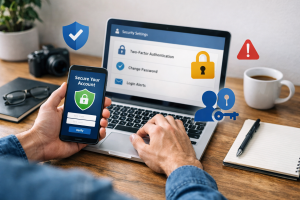
Two-factor authentication adds an extra layer of security to your accounts. It requires you to provide two forms of verification before granting access, typically something you know (your password) and something you have (a code from your phone or a hardware token). This makes it much harder for attackers to gain access even if they manage to steal your password.
The Necessity of Regular Backups
In the event of a malware attack, particularly ransomware, having recent backups of your important data can be a lifesaver. Backups allow you to restore your files to a previous, uninfected state, minimizing data loss.
How Backups Mitigate Malware Risks
If your system is compromised by ransomware that encrypts your files, a recent backup means you do not have to pay the ransom. You can simply wipe the infected system and restore your data from the backup. This underscores the importance of regular and automated backups.
Offsite and Cloud Backups
Storing backups in multiple locations, including offsite or in the cloud, provides an additional layer of protection. If your physical location or primary storage device is affected by a disaster, your offsite backups remain safe and accessible.
Staying Informed and Seeking Help
The field of cybersecurity is constantly evolving, with new threats and attack methods emerging regularly. Educating yourself and your family about these threats is a continuous process.
Educating Yourself and Your Family
Staying informed about the latest malware threats, common scams, and best security practices empowers you to make informed decisions and protect yourself. Many reputable cybersecurity websites, government agencies, and technology news outlets provide useful information and alerts. Teaching these principles to family members, especially younger ones, is vital for a secure household.
When to Consult a Cybersecurity Expert
While many malware issues can be resolved with basic steps and antivirus software, some situations may require professional assistance. If you suspect a serious breach, are unable to remove malware, or are dealing with complex security concerns, consulting a qualified cybersecurity expert is advisable. They have the tools and expertise to diagnose and resolve deeper issues and can help you implement more advanced security measures.
FAQs
What is malware and how does it affect your PC?
Malware is a type of software designed to damage or gain unauthorized access to a computer system. It can include viruses, worms, trojans, ransomware, and spyware. Malware can slow down your computer, steal personal information, or even render your system inoperable.
Why are regular software updates important in preventing malware attacks?
Regular software updates are important because they often include patches for security vulnerabilities that could be exploited by malware. By keeping your operating system, applications, and antivirus software up to date, you can reduce the risk of malware infiltrating your system.
How can I avoid clicking on malicious links while browsing the internet?
To avoid clicking on malicious links, you should be cautious of unsolicited emails or messages, hover over links to preview the URL before clicking, and use a reputable antivirus software with web protection features. Additionally, be wary of offers that seem too good to be true and only click on links from trusted sources.
What role does antivirus software play in protecting my PC from malware?
Antivirus software helps protect your PC from malware by scanning for and removing malicious programs, monitoring your system for suspicious activity, and providing real-time protection against new threats. It is important to keep your antivirus software updated to ensure it can effectively defend against the latest malware.
How can I recognize and avoid phishing scams?
Phishing scams often involve deceptive emails, websites, or messages that attempt to trick you into revealing personal information or clicking on malicious links. To avoid falling victim to phishing scams, be cautious of unsolicited requests for personal information, verify the legitimacy of websites and emails, and avoid clicking on suspicious links or attachments.

Hamza Khan is the author and founder of TechFixLogic.info, a platform dedicated to providing practical software guides, tech solutions, and cybersecurity awareness. With a strong interest in technology and digital security, Hamza focuses on creating easy-to-understand tutorials that help users fix software issues, improve their digital skills, and stay safe online.
Through TechFixLogic.info, he shares step-by-step guides, troubleshooting tips, and cybersecurity insights designed for beginners as well as regular computer users. His goal is to simplify technology and make reliable tech knowledge accessible to everyone.