Phishing is a type of online fraud where perpetrators attempt to trick individuals into revealing sensitive information, such as usernames, passwords, credit card details, or banking information. This is achieved by impersonating trustworthy entities, like established companies or government agencies, through digital communication. The goal of a phisher is to steal personal data for fraudulent purposes, including identity theft, financial loss, and unauthorized access to accounts.

Contents
- 1 Understanding Phishing and Its Mechanics
- 2 Recognizing Common Phishing Scams
- 3 Identifying Red Flags in Suspicious Communications
- 4 Navigating the Web Safely: Spotting Fake Websites and Links
- 5 Safeguarding Your Digital Identity: Protecting Personal Information Online
- 6 Fortifying Your Accounts: Strong Passwords and Two-Factor Authentication
- 7 Taking Action: Reporting Scams and Protecting Others
- 8 Staying Ahead of the Curve: Continuous Learning and Security Software
- 9 FAQs
Understanding Phishing and Its Mechanics
Phishing attacks operate on the principle of deception, exploiting human psychology to bypass technical security measures. Attackers craft messages that appear legitimate to capture the attention and trust of their targets. This often involves creating a sense of urgency or fear, prompting immediate action without careful consideration.
What Constitutes a Phishing Attempt?
A phishing attempt is characterized by fraudulent communication designed to extract sensitive information. This communication typically takes the form of an email, text message, social media direct message, or even a phone call. The sender poses as a reputable source to build credibility. For instance, an email might appear to come from your bank, an online retailer, or a service provider you regularly use. The message will then present a reason for needing your personal details, such as verifying an account, confirming a transaction, or resolving a security issue.
The Process of a Phishing Attack
The phishing process can be broken down into several stages. First, the attacker selects a target or a broad group of potential victims. Then, they create a deceptive message or lure. This lure might be an email with a compelling subject line, a text message claiming an issue with a service, or a pop-up advertisement. The message will typically contain a link to a fake website or instruct the recipient to reply with their information. When the victim clicks the link, they are directed to a website that mimics a legitimate one, often with a login page. If the victim enters their credentials, the attacker captures this data. In other cases, the victim might be asked to download an attachment, which could contain malware designed to steal information directly from their device. The ultimate objective is to gain unauthorized access to accounts or exploit the stolen data for financial gain.
Recognizing Common Phishing Scams
Phishing tactics are constantly evolving, but several common types of scams persist. Familiarity with these patterns can significantly reduce the risk of falling victim. These scams often target specific services or events to make their lures seem more plausible.
Email Phishing
This is the most prevalent form of phishing. Attackers send bulk emails that appear to originate from legitimate organizations. These emails might claim to be about order confirmations, account updates, security alerts, or even lottery winnings. The email will usually contain a link that, when clicked, directs the user to a fake website designed to steal login credentials or personal data. Sometimes, these emails instruct the recipient to reply directly with sensitive information.
Spear Phishing
A more targeted form of phishing, spear phishing involves personalized attacks. Attackers research their targets, gathering information about their jobs, interests, and social connections. This allows them to craft highly convincing messages that are difficult to distinguish from genuine communications. For example, a spear phishing email might appear to come from a colleague or a manager, requesting specific actions or information.
Whaling Attacks
Whaling is similar to spear phishing but targets high-profile individuals within an organization, such as chief executive officers (CEOs) or chief financial officers (CFOs). The goal is to trick these individuals into authorizing fraudulent financial transactions or revealing sensitive corporate information. These attacks often leverage the authority and trust associated with senior positions.
Smishing and Vishing
Smishing refers to phishing conducted via SMS text messages. Like email phishing, these messages impersonate legitimate services and prompt recipients to click links or provide information. Vishing, or voice phishing, involves phone calls where scammers pretend to be representatives of banks, government agencies, or technical support to solicit personal details. These calls often employ urgent language or threats to pressure victims into compliance.
Identifying Red Flags in Suspicious Communications
Detecting phishing attempts often relies on spotting subtle inconsistencies and suspicious elements within the communication. These red flags serve as warning signs that the message may not be genuine. Paying attention to these details can prevent the compromise of personal information.
Examining the Sender’s Email Address
A quick glance at the sender’s email address can reveal a lot. Legitimate organizations typically use domain names that match their official brand. For example, an email from a bank might come from an address ending in “@bankname.com”. Phishing emails often use slightly altered domain names, such as “@bank-name.com” or “@bankname-security.net,” or even entirely unrelated domains. Typos or unusual characters in the sender’s address are also common indicators of a scam.
Scrutinizing the Content of the Message
The language and tone of a suspicious message can also provide clues. Phishing emails often contain grammatical errors, spelling mistakes, or awkward phrasing. This is because they are often written by individuals whose first language may not be English or are produced in bulk without careful proofreading. Legitimate businesses usually maintain a professional standard in their communications. Additionally, messages that create a sense of extreme urgency, demand immediate action, or threaten severe consequences are often attempts to bypass critical thinking. Phrases like “Your account has been compromised, click here immediately to secure it” are classic phishing tactics.
Evaluating the Presence of Suspicious Links and Attachments
Links within suspicious emails are a primary vector for phishing attacks. Hovering your mouse cursor over a link without clicking can reveal the actual URL it points to. If the displayed URL does not match the expected website or looks unusual, it is a strong indication of a phishing attempt. Many phishing URLs are designed to closely resemble legitimate ones, but often with subtle differences. Similarly, unexpected attachments, especially those with file extensions like “.exe” or “.zip,” should be treated with extreme caution. These attachments can contain malware that installs itself on your device when opened.
| Metrics | Value |
|---|---|
| Number of fake websites detected | 25 |
| Percentage of users able to spot fake links | 80% |
| Number of reported phishing attempts | 50 |
Phishing scams often lead victims to fake websites that mimic legitimate ones. These impostor sites are meticulously designed to appear authentic, making it difficult for users to differentiate them from the real thing. Recognizing the signs of these fake online presences is crucial for protecting personal data.
Verifying Website URLs
The Uniform Resource Locator (URL) is the web address of a site. When you are on a website, especially one where you are about to enter sensitive information, always check the URL in your browser’s address bar. Legitimate websites use secure connections, indicated by “https://” at the beginning of the URL and a padlock icon in the address bar. Phishing websites may use “http://” instead of “https://,” lack the padlock icon, or have URLs that are similar but not identical to the legitimate site. For example, a fake bank website might be “www.my-bank-online.com” instead of the actual “www.mybank.com”.
Assessing Website Design and Content
While phishing sites are often designed to look like their legitimate counterparts, there can be subtle differences. Look for inconsistencies in the website’s design, such as low-quality images, unusual fonts, or a lack of branding elements. Legitimate companies invest in professional website design. Furthermore, check for missing or broken links, pages that do not load correctly, or content that seems out of place or poorly written. A site that is replete with grammatical errors or has significantly less content than its legitimate counterpart is a cause for suspicion.
The Importance of HTTPS and Security Certificates
The “https://” protocol and the associated security certificate are vital indicators of a secure website. When visiting a website, especially one where you are asked to log in or provide financial information, ensure that the URL begins with “https://”. This indicates that the connection between your browser and the website is encrypted, making it harder for attackers to intercept your data. The padlock icon next to the URL is another visual cue for a secure connection. Clicking on the padlock may provide details about the website’s security certificate, which can help verify its legitimacy if you are particularly cautious.
Safeguarding Your Digital Identity: Protecting Personal Information Online
In the digital age, protecting your personal information is paramount. Phishing attacks exploit vulnerabilities in how individuals manage their data. Implementing strong security practices can create a robust defense against these threats.
Being Cautious with Information Sharing
Always think twice before sharing personal information online. Be wary of unsolicited requests for data, whether via email, text, or phone. If a company or service contacts you seeking sensitive details, try to verify their identity through an independent channel. For example, instead of clicking a link in an email from your bank, go directly to your bank’s official website by typing the URL into your browser yourself. Similarly, if you receive a suspicious phone call, hang up and call the organization back using a number from their official website or a statement.
Understanding and Managing Privacy Settings
Most online services and social media platforms offer privacy settings that allow you to control who can see your information. Regularly review and adjust these settings to limit the amount of personal data that is publicly accessible. This can make it more difficult for phishers to gather information for spear phishing attacks. Be mindful of what you post on social media, as even seemingly innocuous details can be used against you.
The Dangers of Public Wi-Fi
Public Wi-Fi networks, such as those found in coffee shops or airports, are often less secure than private networks. They can be targets for cybercriminals looking to intercept data. Avoid accessing sensitive accounts, such as online banking or email, while connected to public Wi-Fi. If you must use public Wi-Fi, consider using a Virtual Private Network (VPN), which encrypts your internet traffic and adds a layer of security.
Fortifying Your Accounts: Strong Passwords and Two-Factor Authentication
Weak passwords and the lack of multi-factor authentication are significant vulnerabilities that phishers exploit. Strengthening your account security is a fundamental step in protecting yourself from compromise.
The Pillars of Strong Passwords
A strong password is like a sturdy lock on your digital door. It should be a combination of uppercase and lowercase letters, numbers, and symbols. Avoid using easily guessable information like your name, birthdate, or common words. Aim for passwords that are at least 12 characters long and are unique for each online account. A password manager can be an invaluable tool for generating and storing complex, unique passwords for all your online services. This removes the burden of remembering numerous intricate combinations.
The Power of Two-Factor Authentication (2FA)
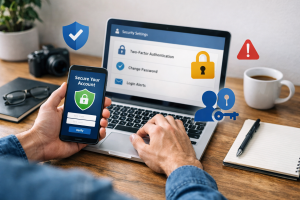
Two-factor authentication, or multi-factor authentication (MFA), adds an extra layer of security by requiring more than just a password to log in. It typically involves something you know (your password) and something you have (like your phone to receive a code) or something you are (like a fingerprint). Even if a phisher obtains your password, they will still need the second factor to gain access to your account. Enabling 2FA on all your important accounts, such as email, banking, and social media, significantly reduces the risk of unauthorized access.
Taking Action: Reporting Scams and Protecting Others
When you encounter a phishing attempt, reporting it is not just about protecting yourself; it’s about contributing to a safer online environment for everyone. By taking action, you help authorities and service providers identify and neutralize these threats.
How to Report Phishing Attempts
Most email providers offer a way to report phishing emails. Look for options like “Report spam,” “Report phishing,” or “Mark as junk.” Clicking these options helps train the email provider’s filters to better detect similar scams in the future. If you have clicked on a phishing link or provided information, contact the relevant organization (your bank, credit card company, etc.) immediately to inform them of the potential compromise. They can take steps to protect your accounts. You can also report phishing attempts to government agencies that handle cybercrime, such as the Federal Trade Commission (FTC) in the United States or its equivalent in your country.
The Role of Educating and Warning Others
Awareness is a powerful weapon against phishing. Share your knowledge about phishing tactics with friends, family, and colleagues. Explain the red flags to look out for and the importance of strong security practices. By educating others, you create a ripple effect of vigilance. Many organizations offer resources and training materials on cybersecurity and phishing awareness, which can be valuable for spreading this knowledge within communities or workplaces.
Staying Ahead of the Curve: Continuous Learning and Security Software
The landscape of phishing tactics is constantly shifting as attackers adapt their methods. Staying informed and utilizing appropriate security tools are essential for maintaining effective protection.
The Function of Anti-Phishing Software
Anti-phishing software, often integrated into internet browsers and security suites, is designed to detect and block phishing attempts. These tools can identify suspicious websites, check URLs against known phishing databases, and warn you before you visit a potentially malicious site. Keeping your browser and security software updated is crucial, as these updates often include the latest threat intelligence that helps combat new phishing techniques.
Cultivating a Habit of Vigilance
Ultimately, staying safe from phishing requires ongoing vigilance. Treat every unsolicited communication with a degree of skepticism. Before clicking any links or providing information, pause and think critically. Stay informed about the latest phishing scams and cybersecurity trends through reputable news sources and security blogs. A proactive and cautious approach is the most effective defense against the ever-evolving world of online threats.
FAQs
What is phishing and how does it work?
Phishing is a type of cyber attack where scammers use fraudulent emails, text messages, or websites to trick individuals into providing sensitive information such as usernames, passwords, and credit card details. These scammers often pose as legitimate organizations or individuals to gain the trust of their targets.
Common types of phishing scams to look out for
Common types of phishing scams include deceptive emails claiming to be from banks, government agencies, or popular online services, fake job offers, and requests for personal information from seemingly trustworthy sources. Phishing can also occur through text messages, social media messages, and phone calls.
Red flags to watch for in suspicious emails
Red flags in suspicious emails include spelling and grammatical errors, requests for personal information or login credentials, urgent or threatening language, and unfamiliar sender email addresses. Additionally, emails with suspicious attachments or links should be treated with caution.
How to spot fake websites and links
Fake websites and links can often be identified by checking the URL for misspellings or slight variations from the legitimate website, looking for secure HTTPS connections, and verifying the website’s legitimacy by contacting the organization directly. It’s important to be cautious of websites that request sensitive information or have a suspicious appearance.
Tips for protecting your personal information online
To protect your personal information online, it’s important to use strong, unique passwords for each account, enable two-factor authentication whenever possible, avoid clicking on suspicious links or attachments, regularly update your devices and software, and educate yourself about the latest phishing tactics and trends. Additionally, consider using anti-phishing software and tools to enhance your online security.

Hamza Khan is the author and founder of TechFixLogic.info, a platform dedicated to providing practical software guides, tech solutions, and cybersecurity awareness. With a strong interest in technology and digital security, Hamza focuses on creating easy-to-understand tutorials that help users fix software issues, improve their digital skills, and stay safe online.
Through TechFixLogic.info, he shares step-by-step guides, troubleshooting tips, and cybersecurity insights designed for beginners as well as regular computer users. His goal is to simplify technology and make reliable tech knowledge accessible to everyone.