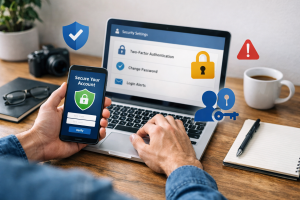
Website safety is critical for all internet users. The internet, a vast information network, also presents various risks. Understanding these risks and how to mitigate them is essential for protecting your digital footprint. This article provides a comprehensive guide to website safety, outlining common threats, tools for verification, and best practices for secure online interactions.

Contents
- 1 Understanding the Importance of Website Safety
- 2 Identifying Common Online Threats
- 3 Tools and Resources for Checking Website Safety
- 4 Step-by-Step Guide to Verifying Website Security
- 5 Recognizing Signs of a Potentially Unsafe Website
- 6 Best Practices for Secure Online Transactions
- 7 Staying Vigilant: Regularly Monitoring Website Safety
- 8 FAQs
Understanding the Importance of Website Safety
Browsing the internet is akin to navigating a bustling city. While many establishments are reputable, some areas harbor criminals. Website safety involves recognizing and avoiding these dangerous digital spaces. Ignoring website safety exposes users to various cyberattacks, from data theft to malware infection, which can lead to significant financial and personal consequences.
The Consequences of Ignoring Website Safety
The ramifications of interacting with unsafe websites can be extensive. For individuals, this might include identity theft, where personal information such as names, addresses, and financial details are stolen and used fraudulently. It can also lead to financial losses through phishing scams or direct unauthorized transactions. Malicious software, or malware, can infect your devices, leading to data corruption, system instability, or even remote control by attackers.
For organizations, a breach in website security can result in reputational damage, loss of customer trust, and significant financial penalties due to regulatory non-compliance. The compromise of sensitive company data can result in competitive disadvantages or legal challenges. Beyond immediate financial losses, recovering from a cyberattack often involves forensic investigations, system repairs, and public relations efforts. Therefore, prioritizing website safety is not merely a suggestion but a necessity for both individuals and businesses.
Identifying Common Online Threats
Cybercriminals constantly adapt their methods as the digital landscape changes. Understanding these common threats is the first step in building a robust defense.
Phishing and Spear Phishing
Phishing is a deceptive practice where attackers disguise themselves as trustworthy entities to trick users into revealing sensitive information. This often involves fake emails or websites that mimic legitimate organizations, such as banks or online retailers. The goal is to obtain login credentials, credit card numbers, or other personal data. Spear phishing is a more targeted version, where attackers tailor their messages to specific individuals or organizations, making them appear more credible. For instance, a spear phishing email might appear to come from a colleague or a senior executive within your company.
Malware and Ransomware
Malware is a blanket term for malicious software designed to disrupt, damage, or gain unauthorized access to computer systems. This includes viruses, worms, Trojans, spyware, and adware. When legitimate programs execute, viruses attach themselves to them and spread. Worms are self-replicating programs that can spread across networks. Trojans disguise themselves as legitimate software but carry malicious payloads. Spyware secretly monitors user activity, while adware displays unwanted advertisements.
Ransomware is a particularly destructive type of malware that encrypts a victim’s files or restricts access to their system, demanding a ransom payment for decryption or restoration of access. Imagine your digital files being locked away and a key offered only upon payment. This threat can cripple businesses and individuals, often with no guarantee of file recovery even after payment.
Cross-Site Scripting (XSS)
Cross-Site Scripting (XSS) is a type of security vulnerability typically found in web applications. XSS attacks enable attackers to inject client-side scripts into web pages viewed by other users. This allows attackers to bypass access controls, steal cookies, or even rewrite the content of the HTML page, leading to various malicious activities, including credential theft or defacement of websites. The danger lies in the fact that the malicious script appears to originate from a trusted website, deceiving the user.
SQL Injection
SQL injection is a code injection technique used to attack data-driven applications. It involves inserting or “injecting” a malicious SQL query into an input field for execution by the underlying database. Successful SQL injection attacks can read, modify, or delete database data; execute administrative operations on the database; recover the content of a given file present on the database server; and, in some cases, issue commands to the operating system. The process is akin to providing a secret code that unlocks the entire filing cabinet, not just the single drawer you intended to access.
Tools and Resources for Checking Website Safety
Several tools and resources are available to help you assess the safety of a website before you interact with it. These resources act as digital detectives, offering details about a website’s security posture.
Browser Security Indicators
Your web browser provides initial security cues. Most modern browsers display a padlock icon in the address bar when a website uses HTTPS (Hypertext Transfer Protocol Secure). HTTPS encrypts the communication between your browser and the website, making it more difficult for third parties to intercept your data. If you see “Not Secure” or a broken padlock icon, exercise caution, especially when entering personal information. Additionally, browsers often provide warnings when they detect known malicious websites. Pay attention to these warnings; they are often accurate.
Online Website Scanners
Various online tools scan websites for known vulnerabilities, malware, and phishing attempts. Popular options include Google Safe Browsing Transparency Report, VirusTotal, and Sucuri SiteCheck.
- Google Safe Browsing Transparency Report: You can enter a website URL into this tool to see if Google has flagged it as unsafe. This service protects billions of devices daily by showing warnings to users when they attempt to navigate to dangerous sites or download harmful files.
- VirusTotal: This service analyzes suspicious files and URLs to detect types of malware, automatically sharing them with the security community. It aggregates many antivirus products and online scan engines to check for threats.
- Sucuri SiteCheck: This free online tool scans websites for malware, blacklisting status, injected spam, and other security issues. It provides a quick assessment of a website’s overall health.
These tools offer a quick and valuable second opinion on a website’s security.
Website Reputation Services
Services like Web of Trust (WOT) or URLVoid aggregate user reviews and security information to provide a reputation score for websites. While not infallible, these services can offer an additional layer of insight. They often use a combination of automated analysis and crowd-sourced feedback to assess a website’s trustworthiness. A low reputation score should serve as a warning.
Step-by-Step Guide to Verifying Website Security
| Security Measure | Description |
|---|---|
| SSL/TLS Certificate | Check for a valid SSL/TLS certificate to ensure secure data transmission. |
| HTTP Headers | Review HTTP headers for security-related directives such as Content Security Policy (CSP) and X-Frame-Options. |
| File Permissions | Ensure that file permissions are properly set to prevent unauthorized access to sensitive files. |
| Input Validation | Verify that input fields are properly validated to prevent injection attacks. |
| Security Headers | Check for the presence of security headers such as X-XSS-Protection and X-Content-Type-Options. |
Before providing any personal information or making a purchase on a website, take a few moments to verify its security. This methodical approach can prevent many problems.
Check the URL and domain name.
The first and most basic step is to scrutinize the website’s URL (Uniform Resource Locator). Look for “HTTPS” at the beginning of the address. This indicates that the connection is encrypted. Also, pay close attention to the domain name. Phishing websites often use domain names that are similar to legitimate ones but have subtle misspellings (e.g., “Amaz0n.com” instead of “Amazon.com”). If anything looks even slightly off, do not proceed. Your first line of defense is this simple check.
Look for Security Certificates
Click on the padlock icon in the address bar. This will typically display information about the website’s security certificate. The certificate verifies the identity of the website. Ensure that the certificate is valid, not expired, and issued to the correct domain. A valid certificate from a reputable Certificate Authority (CA) indicates that the website’s identity has been verified. If the certificate information is absent, expired, or shows a different domain, it is a significant red flag.
Review the Website’s Content and Design
Unsafe websites often exhibit characteristics that distinguish them from legitimate ones. Look for poor grammar, spelling errors, or awkward phrasing, which are common in phishing attempts. Inconsistent branding, low-resolution logos, or a generally unprofessional design can also indicate a fraudulent site. Legitimate businesses invest in well-designed and error-free websites. If a website looks hastily put together or contains suspicious elements, proceed with caution.
Use WHOIS Lookup for Domain Information
WHOIS lookup tools allow you to retrieve information about a domain’s owner, registration date, and contact details. While some legitimate websites use privacy protection services to hide this information, a newly registered domain or one with unusually vague registration details, particularly for a well-established brand, can be suspicious. Numerous free WHOIS lookup services are available online.
Recognizing Signs of a Potentially Unsafe Website
Beyond the technical checks, certain behaviors and characteristics of a website should raise suspicion. Think of these as the instincts you develop when walking through an unfamiliar part of town.
Unsolicited Pop-ups and Redirects
If a website barrages you with numerous unexpected pop-up windows, especially those demanding personal information or alarming you with virus warnings, it’s a strong indicator of an unsafe site. Similarly, being automatically redirected to another website without your consent is a significant red flag. These tactics are often employed by malicious sites to push unwanted software or lure you to phishing pages.
Requests for Excessive Personal Information
Be wary of websites that request an unusual amount of personal or financial information, particularly for seemingly simple transactions or services. For example, a recipe website should not need your social security number. If a website asks for information that seems irrelevant to its stated purpose, it’s likely a scam. Always question the necessity of the information requested.
Suspicious Download Prompts
Exercise extreme caution with websites that aggressively prompt you to download software, browser extensions, or “critical updates,” especially if you did not initiate the download. These downloads often contain malware or unwanted programs. Always download software from official and trusted sources.
Generic or Missing Contact Information
Legitimate businesses provide clear and accessible contact information, including physical addresses, phone numbers, and professional email addresses. If a website only provides a generic contact form, an obscure email address, or lacks any contact information altogether, it should raise suspicion. This lack of transparency often signifies an attempt to avoid accountability.
Too Good to Be True Offers
If an offer on a website seems incredibly generous or “too good to be true,” it probably is. Scammers often use enticing deals, such as free products, unrealistic discounts, or promises of instant wealth, to lure victims into providing personal information or making fraudulent purchases. Apply critical thinking; if something sounds illogical, it likely is.
Best Practices for Secure Online Transactions
Online transactions require an extra layer of vigilance due to the direct involvement of financial data. Treat your financial information like a precious gem, guarding it carefully.
Use Strong, Unique Passwords
Using strong, unique passwords for all your online accounts is fundamental. A strong password combines uppercase and lowercase letters, numbers, and symbols. Avoid using easily guessed information, like birthdays or common words. A password manager can help you create and store complex passwords securely, eliminating the need to remember dozens of different combinations. Reusing passwords is like using one key for all your locks; if one is compromised, all are at risk.
Enable Two-Factor Authentication (2FA)
Two-factor authentication adds an extra layer of security to your accounts. After entering your password, you’ll be prompted to provide a second form of verification, such as a code sent to your phone or a fingerprint scan. Even if an attacker obtains your password, they cannot access your account without this second factor. Enable 2FA wherever it is offered, especially for financial and email accounts.
Use Secure Payment Methods
When making online purchases, prioritize secure payment methods. Credit cards often offer better fraud protection than debit cards, as they are not directly linked to your bank account. Services like PayPal or Apple Pay can also add a layer of security by allowing you to make purchases without directly sharing your credit card details with every merchant. Be wary of websites that only accept unusual payment methods or wire transfers, which offer little recourse in case of fraud.
Monitor Your Financial Statements
Regularly review your bank and credit card statements for any unauthorized transactions. Catching fraudulent activity early can limit potential damage and facilitate swifter resolution with your financial institution. Set up alerts for large transactions or unusual activity on your accounts.
Avoid Public Wi-Fi for Sensitive Transactions
Public Wi-Fi networks, while convenient, are often unsecured and susceptible to eavesdropping. Avoid conducting sensitive transactions, such as online banking or shopping, while connected to public Wi-Fi. If you must use public Wi-Fi, consider using a Virtual Private Network (VPN) to encrypt your internet traffic, creating a secure tunnel between your device and the internet.
Staying Vigilant: Regularly Monitoring Website Safety
Cybersecurity is not a one-time setup; it’s an ongoing process. The digital world is dynamic, with new threats and vulnerabilities constantly emerging. Consider website safety as the upkeep of a garden, requiring constant effort to prevent weeds and promote healthy growth.
Keep Software and Browsers Updated
Software developers regularly release updates that include security patches for newly discovered vulnerabilities. Keeping your operating system, web browser, antivirus software, and all other applications updated is crucial. Outdated software is a common gateway for attackers. Enable automatic updates whenever possible to ensure you receive protections as soon as they are available.
Educate Yourself Continuously
The landscape of online threats changes constantly. Stay informed about current cyber threats, common scams, and new security best practices. Follow reputable cybersecurity news sources and government advisories. Understanding the evolving threat landscape empowers you to adapt your safety measures accordingly.
Backup Your Data Regularly
Regularly backing up your important data is a fundamental safety practice. In the event of a malware attack, a system crash, or data loss, having a recent backup ensures you can restore your files and minimize disruption. Store backups on external drives or cloud services, and test them periodically to ensure their integrity.
Promote a Culture of Security
If you are part of an organization, encourage and enforce strong security practices among your colleagues. Share information about common threats and best practices. A strong security posture relies on collective vigilance. Educating others strengthens the overall defense against cyber threats.
Trust Your Instincts
Ultimately, if something feels off about a website or an online interaction, trust your instincts. The internet often presents situations that encourage rushed decisions. Take a moment to pause, re-evaluate, and verify. If an offer seems too good to be true, if a request for information feels intrusive, or if a website just doesn’t look right, err on the side of caution and step away. Your digital safety is paramount.
FAQs
1. Why is website safety important?
Website safety is important because it helps protect users from online threats such as malware, phishing scams, and identity theft. By ensuring that a website is safe, users can minimize the risk of their personal information being compromised and their devices being infected with malicious software.
2. What are common online threats to be aware of?
Common online threats include phishing scams, malware, fake websites, and identity theft. Phishing scams involve fraudulent attempts to obtain sensitive information, while malware can infect devices and steal personal data. Fake websites may mimic legitimate ones to deceive users, and identity theft can occur when personal information is compromised.
3. How can I check the safety of a website?
There are several tools and resources available for checking the safety of a website. These include online security scanners, website reputation services, and browser extensions that can identify potentially unsafe websites. Additionally, users can look for HTTPS encryption, a privacy policy, and contact information as indicators of a website’s safety.
4. What are some signs of a potentially unsafe website?
Signs of a potentially unsafe website include suspicious pop-up windows, requests for sensitive information such as passwords or credit card details, and poor website design or functionality. Additionally, warnings from web browsers about potential security risks can indicate that a website may be unsafe.
5. How can I protect myself when sharing personal information online?
To protect yourself when sharing personal information online, it’s important to use strong, unique passwords for each account, enable two-factor authentication when available, and avoid sharing sensitive information on unsecured or suspicious websites. Additionally, being cautious about the information you share on social media and using secure payment methods for online transactions can help safeguard your personal data.

Hamza Khan is the author and founder of TechFixLogic.info, a platform dedicated to providing practical software guides, tech solutions, and cybersecurity awareness. With a strong interest in technology and digital security, Hamza focuses on creating easy-to-understand tutorials that help users fix software issues, improve their digital skills, and stay safe online.
Through TechFixLogic.info, he shares step-by-step guides, troubleshooting tips, and cybersecurity insights designed for beginners as well as regular computer users. His goal is to simplify technology and make reliable tech knowledge accessible to everyone.