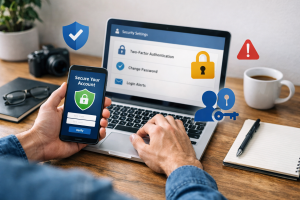
Ransomware is a type of malicious software that encrypts a victim’s files, rendering them inaccessible. The attackers then demand a ransom payment, typically in cryptocurrency, in exchange for the decryption key. Without this key, the victim cannot restore their data. This guide provides information on understanding, preventing, and responding to ransomware attacks.

Contents
- 1 Understanding Ransomware: What It Is and How It Works
- 2 Recognizing the Signs of a Ransomware Attack
- 3 Best Practices for Ransomware Prevention
- 4 Securing Your Data: Backup and Recovery Strategies
- 5 Protecting Your Devices: Anti-Ransomware Tools and Software
- 6 Responding to a Ransomware Attack: Steps to Take
- 7 Ransomware Negotiation: Should You Pay the Ransom?
- 8 Legal and Regulatory Considerations for Ransomware Victims
- 9 Educating Your Team: Ransomware Awareness and Training
- 10 The Future of Ransomware: Trends and Emerging Threats
- 11 FAQs
Understanding Ransomware: What It Is and How It Works
Ransomware operates by infiltrating a computer system, either through malicious email attachments, compromised websites, or unpatched software vulnerabilities. Once inside, it deploys an encryption algorithm, scrambling the data on the victim’s device. Imagine a thief locking all the doors and windows of your house and then demanding money to give you back the key. This procedure procedure is the core mechanism of ransomware. The encryption process can be swift, locking down extensive amounts of data before the victim even realizes an intrusion has occurred.
The Mechanics of Encryption
The encryption process is the heart of a ransomware attack. Modern ransomware often employs strong encryption algorithms, like AES-256, making it computationally infeasible to break the encryption without the correct decryption key. The ransomware typically identifies target files based on their extensions and location, ensuring critical documents, databases, and personal files are affected.
Delivery Methods
Ransomware can arrive through various channels. Phishing emails, masquerading as legitimate communications, are a common vector. These emails may contain infected attachments or links that, when clicked, download the ransomware. Drive-by downloads from compromised websites also pose a threat, where visiting a malicious site can silently install the ransomware onto your system. Exploiting vulnerabilities in software that has not been updated is another common entry point. Attackers are skilled at uncovering weaknesses in digital defenses.
Types of Ransomware
While the goal remains the same—extortion—ransomware can manifest in different forms. Locker ransomware locks the entire system, preventing any access to the operating system. Screen-locking ransomware simply displays a full-screen message demanding payment. Most common today is crypto-ransomware, which encrypts files. Some advanced forms also engage in data exfiltration, stealing sensitive information before encrypting it, using the threat of public release as an additional leverage point.
Recognizing the Signs of a Ransomware Attack
Early detection is crucial in mitigating the damage caused by a ransomware attack. Several indicators can signal that your system has been compromised.
Unusual File Behavior
One of the most apparent signs is your files becoming inaccessible. You might find that you cannot open documents, images, or other data. Upon inspection, you may notice that file extensions have changed or that a ransom note has appeared on your screen or within folders. Such an event is a clear alarm bell.
System Performance Degradation
Ransomware can consume significant system resources during the encryption process. You may experience a dramatic slowdown in your computer’s performance, applications may freeze or crash, and your system might become unresponsive. This sensation can be like noticing your house is suddenly much harder to move around in.
Ransom Notes and Pop-ups
The most direct indicator is the appearance of a ransom note. These notes are typically displayed as a text file in affected folders, a pop-up window, or even as the desktop wallpaper. They will outline the demands of the attackers, including the ransom amount and the method of payment, often within a strict deadline.
Unexpected File Encryption
If you are working on a document and suddenly find you cannot save it, or if files you know you saved are now unopenable with strange extensions, this is a strong warning sign. The speed at which this happens can be alarming but is a testament to the malware’s efficiency.
Best Practices for Ransomware Prevention
Preventing a ransomware attack is far more effective than dealing with one. Implementing a robust security strategy can significantly reduce your risk. Think of prevention as reinforcing the walls and securing the locks of your digital home.
Keep Software Updated
Software vulnerabilities are a primary entry point for ransomware. Regularly update your operating system, web browsers, and all installed applications. This includes patch management for servers and network devices. Developers release updates to fix known security flaws, making your systems less susceptible to exploitation.
Be Wary of Email Attachments and Links
Phishing attacks remain a potent threat. Exercise extreme caution when opening email attachments or clicking on links from unknown or suspicious senders. If an email seems urgent or unusual, verify its authenticity through a separate communication channel before interacting with it. Even a single misstep can open the door.
Employ Strong Passwords and Multi-Factor Authentication
Weak passwords are an accessible target for attackers. Use strong, unique passwords for all your accounts and enable multi-factor authentication (MFA) whenever possible. MFA adds an extra layer of security, requiring more than just a password to log in, such as a code from your phone.
Network Segmentation
Segmenting your network can limit the spread of ransomware if an infection occurs. By dividing your network into smaller, isolated zones, you can prevent malware from moving freely across all your devices. This is akin to having separate, locked rooms within your house; if one room is compromised, the others remain secure.
Limit User Privileges
Grant users only the necessary permissions to perform their job functions. Restricting administrative privileges can prevent ransomware from spreading widely or accessing critical system files. This means not everyone needs a master key to every room.
Securing Your Data: Backup and Recovery Strategies
| Backup and Recovery Strategy | Metrics |
|---|---|
| Backup Frequency | Weekly, Daily, Hourly |
| Recovery Time Objective (RTO) | 2 hours, 4 hours, 24 hours |
| Recovery Point Objective (RPO) | 1 day, 4 hours, 1 hour |
| Data Retention Period | 30 days, 90 days, 1 year |
A robust backup and recovery strategy is your most critical line of defense against the devastating effects of ransomware. It is your emergency preparedness plan, ensuring you can rebuild after a disaster.
Regular and Automated Backups
Implement a schedule for regular, automated backups of your critical data. Aim for frequent backups, ideally daily or even more often for highly sensitive information. This ensures that you have recent copies of your files readily available.
The 3-2-1 Backup Rule
Follow the 3-2-1 backup rule: keep at least three copies of your data on two different types of media, with at least one copy stored offsite. This diversification significantly increases your chances of data recovery. An offsite backup acts as an insurance policy against local disasters, be it hardware failure or a ransomware attack that encrypts everything on-premises.
Test Your Backups
Regularly test your backup integrity and your recovery process. An unrestorable backup is useless. Performing simulated recovery tests ensures that your restoration plan is viable and that you are familiar with the process under pressure.
Immutable Backups
Consider using immutable backups. These backups are designed to be unchangeable for a set period, making them resistant to ransomware encryption or deletion. Attackers cannot alter or destroy immutable backups.
Protecting Your Devices: Anti-Ransomware Tools and Software
Beyond good practices, specialized tools can provide an additional layer of protection against ransomware. These are like having dedicated security systems and guards for your digital assets.
Reputable Antivirus and Anti-Malware Software
Install and maintain reputable antivirus and anti-malware software on all your devices. Ensure that your security software is regularly updated to detect the latest threats. Many modern security suites include specific ransomware protection modules.
Endpoint Detection and Response (EDR) Solutions
For businesses, Endpoint Detection and Response (EDR) solutions offer advanced threat detection and response capabilities. These tools monitor endpoint activity for suspicious behavior, enabling faster identification and containment of ransomware threats.
Email Filtering and Web Security Gateways
Implement robust email filtering systems to block malicious emails before they reach your users. Web security gateways can prevent access to known malicious websites, reducing the risk of drive-by downloads.
Application Whitelisting
Application whitelisting restricts the execution of unauthorized software. Only approved applications are allowed to run, which can effectively block unknown ransomware from executing on your system.
Responding to a Ransomware Attack: Steps to Take
If you suspect a ransomware attack, immediate and decisive action is crucial to limit the damage. A calm, pre-planned response is key.
Isolate Infected Systems
Immediately disconnect any infected computers from the network. This includes disconnecting from Wi-Fi and unplugging Ethernet cables. This action prevents the ransomware from spreading to other devices or network storage. Imagine a fire spreading; you would immediately close the doors to contain it.
Do Not Pay the Ransom (General Recommendation)
The general recommendation from law enforcement and cybersecurity experts is not to pay the ransom. Paying does not guarantee the return of your data, and it encourages further criminal activity. It is akin to paying a kidnapper; there is no assurance they will return the hostage, and it only fuels their future endeavors.
Report the Incident
Report the ransomware attack to relevant authorities, such as your national cybersecurity agency or law enforcement. This helps them track and combat cybercrime.
Identify the Ransomware Strain
If possible, try to identify the specific strain of ransomware that has infected your system. This can help in finding publicly available decryption tools or understanding the attacker’s typical behavior.
Restore from Backups
If you have clean, recent backups, this is the time to use them. Follow your established recovery procedures to restore your data and systems.
Ransomware Negotiation: Should You Pay the Ransom?
The decision to pay a ransom is complex and carries serious repercussions. While the urge to regain access to critical data can be overwhelming, several factors weigh against payment.
Lack of Guarantee
There is no guarantee that paying the ransom will result in the decryption of your data. Attackers may provide a faulty decryption key, or they may simply disappear after receiving the payment.
Funding Criminal Activity
Paying the ransom directly funds criminal organizations, enabling them to develop more sophisticated ransomware and attack more victims.
Continued Targeting
Paying the ransom could potentially identify you as a willing target, increasing the likelihood of future extortion attempts.
Alternatives to Payment
Focusing on robust backups and a well-rehearsed recovery plan is the most effective strategy. In some rare cases, law enforcement or specialized negotiators might be involved, but the primary advice remains to avoid payment.
Legal and Regulatory Considerations for Ransomware Victims
Ransomware attacks can have significant legal and regulatory consequences for individuals and organizations. Understanding these implications is vital for responsible management of the incident.
Data Breach Notification Requirements
Depending on your jurisdiction and the type of data compromised, you may be legally obligated to notify affected individuals and regulatory bodies of a data breach. This is especially true if personal or sensitive information is involved.
Industry-Specific Regulations
Certain industries, such as healthcare (HIPAA) and finance, have specific regulations regarding data security and incident reporting that must be adhered to. Non-compliance can result in substantial fines.
Evidence Preservation
In the event of a criminal investigation, it is crucial to preserve any evidence related to the ransomware attack. This includes logs, ransom notes, and system images.
Compliance with Law Enforcement Guidance
Cooperating with law enforcement and following their guidance is often in your best interest, both legally and for potentially aiding in the apprehension of cybercriminals.
Educating Your Team: Ransomware Awareness and Training
Human error is often the weakest link in cybersecurity. Educating your team about ransomware is a cornerstone of effective prevention.
Regular Cybersecurity Training
Conduct regular cybersecurity awareness training for all employees. This training should cover identifying phishing attempts, safe browsing practices, password security, and the importance of reporting suspicious activity.
Simulated Phishing Exercises
Regularly conduct simulated phishing exercises to test employees’ susceptibility to these attacks and reinforce training. These exercises provide valuable feedback on areas needing further attention.
Clear Reporting Procedures
Establish clear and accessible procedures for employees to report suspected security incidents without fear of reprisal. The sooner an incident is reported, the faster a response can be initiated.
Role-Specific Training
Tailor training to the specific roles and responsibilities of your employees. Those with access to sensitive data or critical systems may require more specialized training.
The Future of Ransomware: Trends and Emerging Threats
The landscape of ransomware is constantly evolving. Understanding current trends and anticipating future threats is crucial for maintaining effective defenses.
Ransomware-as-a-Service (RaaS)
The rise of RaaS models has democratized ransomware attacks, allowing individuals with limited technical expertise to launch attacks by subscribing to pre-built ransomware kits and infrastructure. This lowers the barrier to entry for cybercriminals.
Double and Triple Extortion
Attackers are increasingly employing double and triple extortion tactics. This involves not only encrypting data but also exfiltrating it and threatening to leak it publicly or sell it on the dark web. Some may also launch denial-of-service attacks to increase pressure.
Attacks on Critical Infrastructure
Ransomware attacks targeting critical infrastructure, such as healthcare systems, energy grids, and transportation networks, are a growing concern. These attacks can have severe real-world consequences, impacting public safety and essential services.
Targeting Cloud Services
As organizations increasingly migrate to cloud environments, attackers are adapting their strategies to target cloud-based data and services. Securing cloud deployments is therefore paramount.
Exploiting IoT Devices
The proliferation of Internet of Things (IoT) devices, often with weak security, presents a new attack surface for ransomware. Ransomware can compromise these devices and use them as entry points into networks or as targets themselves. The digital world is a constantly shifting frontier, and vigilance is the only constant defense.
FAQs
What is ransomware, and how does it work?
Ransomware is a type of malicious software designed to block access to a computer system or files until a sum of money is paid. It typically enters a system through phishing emails, malicious websites, or software vulnerabilities, and once activated, it encrypts files and demands payment for their release.
What are the signs of a ransomware attack?
Signs of a ransomware attack include a sudden inability to access files, a ransom note appearing on the screen, unusual file extensions, and a decrease in system performance. Detecting these signs requires vigilance and prompt action.
What are the best practices for preventing ransomware attacks?
Best practices for preventing ransomware attacks include keeping software and systems updated, using strong and unique passwords, implementing email and web filtering, educating employees about phishing and other social engineering tactics, and regularly backing up data.
How can I secure my data and devices from ransomware?
Securing data and devices from ransomware involves implementing backup and recovery strategies, using anti-ransomware tools and software, and staying informed about emerging threats and trends in ransomware attacks.
Should I pay the ransom in the event of a ransomware attack?
Paying the ransom is not recommended, as the attackers may not release the encrypted files. Additionally, paying the ransom only fuels the ransomware economy and encourages further attacks. It’s important to seek professional assistance and consider legal and regulatory considerations before making any decisions.

Hamza Khan is the author and founder of TechFixLogic.info, a platform dedicated to providing practical software guides, tech solutions, and cybersecurity awareness. With a strong interest in technology and digital security, Hamza focuses on creating easy-to-understand tutorials that help users fix software issues, improve their digital skills, and stay safe online.
Through TechFixLogic.info, he shares step-by-step guides, troubleshooting tips, and cybersecurity insights designed for beginners as well as regular computer users. His goal is to simplify technology and make reliable tech knowledge accessible to everyone.