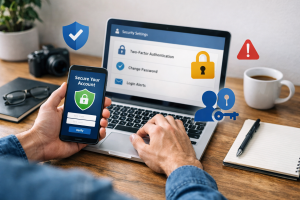
Fake tech support scams present a significant and growing threat to individuals and businesses. These scams prey on users’ anxieties about computer problems and their lack of technical knowledge, leading them to pay for unnecessary services or reveal sensitive personal information. This article will help you recognize, avoid, and respond to these scams.
Contents
- 1 Understanding the Threat: What Are Fake Tech Support Scams?
- 2 Common Tactics: How Scammers Try to Trick You
- 3 Signs of a Scam: How to Recognize Fake Tech Support
- 4 Protecting Your Devices: Tips for Avoiding Tech Support Scams
- 5 What to Do If You’ve Fallen Victim to a Fake Tech Support Scam
- 6 Reporting Scams: How to Help Stop Tech Support Fraud
- 6.1 Report to Government Agencies
- 6.2 Report to Technology Companies
- 6.3 Report to Your Internet Service Provider (ISP)
- 6.4 Report to Anti-Phishing and Security Software Providers
- 6.5 Inform Your Friends and Family
- 6.6 Proactive Contact is Unusual
- 6.7 Legitimate Companies Have Official Contact Information
- 6.8 They Won’t Ask for Unusual Payment Methods
- 6.9 They Will Not Push for Remote Access Immediately
- 6.10 Look for established companies with clear policies.
- 7 Educating Others: Spreading Awareness About Tech Support Scams
- 8 The Role of Technology Companies in Fighting Scams
- 9 Staying Safe Online: Best Practices for Protecting Yourself from Scams
- 10 FAQs
- 10.1 1. What are fake tech support scams? Fake tech support scams are schemes where scammers pose as legitimate tech support representatives to trick individuals into providing access to their computers or paying for unnecessary services. These scams often involve cold calls, pop-up messages, or phishing emails that appear to be from reputable tech companies.
- 10.2 2. How do scammers try to trick you in fake tech support scams? Scammers use various tactics to trick individuals, such as creating alarming pop-up messages claiming that the computer is infected with a virus, making unsolicited phone calls claiming to be from tech support, or sending phishing emails with links to fake tech support websites. They often use fear tactics to pressure victims into providing personal information or paying for unnecessary services.
- 10.3 3. How can you recognize fake tech support scams? There are several signs that can help you recognize fake tech support scams, including unsolicited contact from supposed tech support representatives, requests for remote access to your computer, pressure to make immediate payments, and claims of urgent security threats on your device. Legitimate tech support services will not use these tactics to reach out to customers.
- 10.4 4. What are some tips for avoiding tech support scams and protecting your devices? To avoid falling victim to tech support scams, it’s important to never give control of your computer to someone who contacts you unsolicited, to be cautious of pop-up messages claiming viruses or security threats, to verify the legitimacy of tech support services before providing any information, and to keep your computer’s security software up to date.
- 10.5 5. What should you do if you’ve fallen victim to a fake tech support scam? If you believe you’ve fallen victim to a fake tech support scam, it’s important to disconnect your computer from the internet, run a security scan to remove any malware, change any passwords that may have been compromised, and report the scam to the appropriate authorities, such as the Federal Trade Commission or your local consumer protection agency. It’s also important to monitor your accounts for any unauthorized activity and consider contacting your financial institutions to protect your accounts.
Understanding the Threat: What Are Fake Tech Support Scams?
Fake tech support scams are fraudulent operations designed to trick individuals into believing their computers or devices have serious problems that require immediate, paid-for assistance. The scammers, operating under the guise of legitimate tech support companies, will contact victims, often uninvited, and claim to have detected malware, viruses, or other critical issues on their systems. Their primary goal is to extract money from victims, either through upfront payments for useless software or services or by gaining remote access to their devices to steal personal data.
These scams are a form of social engineering, where manipulators exploit human psychology to gain an advantage. They often leverage fear, urgency, and a general lack of technical fluency to create a sense of panic in their targets. The target audience for these scams is broad, but those with less experience using computers and the internet can be particularly vulnerable. The constant evolution of technology means that scam tactics also change, making it important to stay informed about current methods.
The Nature of the Deception
The core of a fake tech support scam lies in its deception. Scammers do not represent any real technology company. They impersonate well-known brands, such as Microsoft or Apple, or create generic-sounding company names that mimic legitimate support services. Their online presence, if any, is often superficial, designed to offer a false sense of legitimacy. They carefully orchestrate the conversation to build trust with the victim before exploiting it. The initial contact is typically unsolicited, a stark contrast to genuine technical support, which people usually seek when they have a problem.
Motivations Behind the Scams
The primary motivation for fake tech support scammers is financial gain. They operate by creating a manufactured crisis to sell nonexistent or worthless solutions. This can range from charging hundreds of dollars for a “virus removal” service that never actually cleans a machine to persuading victims to purchase expensive, unnecessary software. In some cases, gaining remote access to a computer is an even more insidious goal, enabling them to install malware, steal financial information, credit card numbers, or banking credentials, and even commit identity theft. The anonymity provided by the internet allows these criminals to operate with a degree of impunity, making it difficult to apprehend them.
Common Tactics: How Scammers Try to Trick You
Scammers employ various methods to ensnare their victims. Scammers design these tactics to be persuasive, often exploiting a user’s fear or lack of knowledge. Understanding these methods is the first step in recognizing and avoiding them.
The Unsolicited Contact
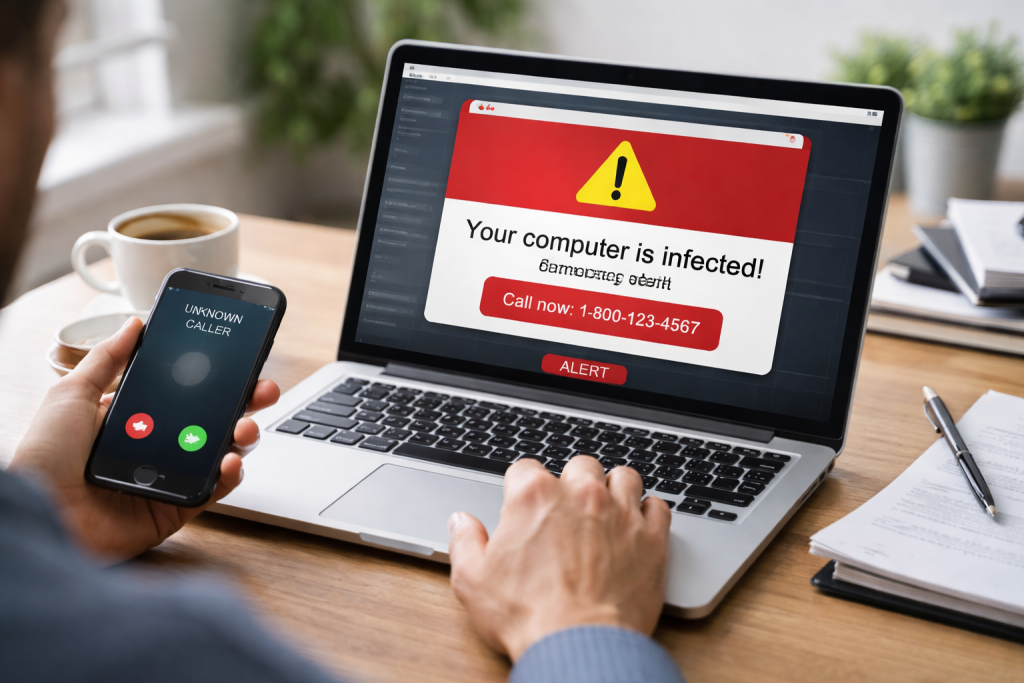
One of the most common entry points for fake tech support scams is unsolicited contact. This can come in several forms. Pop-up messages on websites that claim your computer is infected and urge you to call a provided phone number are prevalent. Often designed to be alarming, these pop-ups use flashing text, sirens, or dire warnings about system failure. Another frequent method is cold calls, where scammers, claiming to be from a major technology company, state they have detected a problem with your computer. They may even claim to be calling because of error messages they have seen remotely. Such an argument is a fallacy; legitimate companies do not proactively call customers about such issues without prior arrangement or a verified reason.
The “Evidence” of a Problem
Once they establish contact, scammers will attempt to present seemingly credible evidence of a problem. They might instruct the victim to open certain pre-installed Windows tools, such as the Event Viewer or Task Manager. These tools can display a lot of technical information, including error messages that are normal for an operating system. Scammers will misrepresent these normal system logs as proof of critical infections or malfunctions. They will point to entries in the Event Viewer, for instance, and tell the victim that these indicate a serious breach or a failing hard drive, when in reality, these are routine operational records. This creates a false sense of urgency and convinces the victim that professional intervention is essential.
The Demand for Remote Access
A crucial step in many fake tech support scams is gaining remote access to the victim’s computer. Scammers will persuade the victim to download and install remote access software, such as AnyDesk or TeamViewer. They present this as a necessary step for them to diagnose and fix the alleged problem. Once they have control of the computer, they can perform various malicious actions. They can pretend to “fix” issues by deleting non-essential files or disabling certain legitimate security features. More damagingly, they can search for and steal sensitive personal and financial information stored on the device. This includes passwords, credit card numbers, bank account details, and other private data.
The Pressure to Pay
After demonstrating their “fix” or diagnosing an “issue,” scammers will demand payment. They often pressure victims into paying immediately, using threats of further damage or data loss if payment is not rendered. Payment methods requested are usually non-refundable, such as gift cards, wire transfers, or cryptocurrency, which are difficult to trace and recover. They may offer different “support packages” with inflated prices, promising ongoing protection or services that are either fake or already included with the operating system. This pressure tactic aims to disorient the victim and prevent them from considering their options or seeking advice.
Signs of a Scam: How to Recognize Fake Tech Support
Being aware of the telltale signs of a fake tech support scam is your best defense. These indicators can help you identify and disengage from malicious interactions before you suffer any losses.
Unsolicited Contact from a “Tech Company”
The most significant red flag is receiving an unsolicited call, email, or pop-up message from a company claiming to be your computer’s technical support. Legitimate companies do not cold-call individuals to report imminent system failures. If a company contacts you unexpectedly and claims to have detected a problem with your computer, it is almost certainly a scam. Genuine tech support is usually something you initiate when you experience an issue.
Demands for Immediate Payment
If the supposed technician insists on immediate payment, especially via unusual methods like gift cards, prepaid debit cards, or wire transfers, treat it as a scam. Legitimate businesses typically have clear billing procedures, and remote repair services do not require payment upfront in such untraceable forms. They might also try to scare you into paying by saying that if you don’t pay, your computer will be locked or your data will be lost, creating a false sense of urgency.
Requests for Remote Access to Your Computer
A strong indicator of a scam is when the supposed technician insists on remote access to your computer to “diagnose” or “fix” the problem. While remote assistance is a legitimate tool for legitimate IT support, it is rarely, if ever, initiated by the support provider without your consent and prior interaction. If they are pushing you to download and run software to give them access, immediately suspect foul play.
Vague or Overly Technical Language
Scammers often use a lot of jargon and technical terms to overwhelm and confuse you. They might point to normal system files or error codes and interpret them as critical threats without clear, understandable explanations. If the “technician” uses overly complex language, avoids answering direct questions about their company, or cannot clearly explain the problem and solution in simple terms, it’s a warning sign.
Threats and Urgency
Scammers thrive on creating a sense of panic. They will often threaten your computer with severe damage, data loss, or system failure if you do not comply with their demands immediately. This pressure prevents you from thinking clearly and seeking independent verification. They might also make claims about your computer being involved in illegal activities, which is a common scare tactic.
Protecting Your Devices: Tips for Avoiding Tech Support Scams
| Tip | Description |
|---|---|
| Keep software updated | Regularly update your operating system and software to protect against vulnerabilities. |
| Use strong passwords | Create unique and complex passwords for your devices and accounts. |
| Be cautious of unsolicited calls | Avoid providing personal or financial information to unsolicited callers claiming to be tech support. |
| Verify the caller’s identity | If in doubt, hang up and contact the company directly to verify the caller’s identity. |
| Install reputable security software | Use trusted antivirus and antimalware software to protect your devices from scams and threats. |
Proactive measures are crucial to safeguard your computers and personal information from these deceptive schemes. By implementing these practices, you can significantly reduce your risk of falling victim.
Be Skeptical of Unsolicited Contact
Treat any unsolicited contact claiming to be from technical support with extreme suspicion. If you receive a pop-up message, email, or phone call about a computer problem, do not click on any links, do not call any provided numbers, and do not share any information. Instead, close the message or hang up the phone. If you are concerned about your computer’s health, contact the technology company directly using the official contact information found on their website or your product packaging.
Never Grant Remote Access Unsolicited
Under no circumstances should you allow someone you do not know and trust to remotely access your computer. Even if they claim to be from Microsoft, Apple, or your internet service provider, resist the urge. Legitimate companies will not demand remote access as a first step in diagnosing an issue that you have not reported to them. If you need remote assistance, ensure you are dealing with a reputable company and initiate the connection yourself.
Educate Yourself on Normal Computer Behavior
Understand that computers generate error messages and system logs as part of their normal operation. Tools like the Event Viewer are not always indicators of critical problems. Familiarize yourself with how your operating system typically functions so you can better distinguish between normal activity and potential genuine issues. This knowledge can help you dismiss the fabricated crises presented by scammers.
Use Strong, Unique Passwords and Enable Multi-Factor Authentication
While not directly related to preventing the initial contact, strong passwords and multi-factor authentication (MFA) are crucial layers of defense. If a scammer does manage to gain access to an account, these measures can prevent them from easily escalating their access or stealing sensitive data. Use different passwords for different accounts, and enable MFA whenever possible.
Keep Your Software Updated
Ensure your operating system, antivirus software, and web browsers are always up to date. Software updates often include security patches that fix vulnerabilities that scammers might exploit. An up-to-date antivirus program can also help detect and block malicious software that scammers might try to install on your device.
Be Cautious About What You Download
Never download and install any software at the request of an unsolicited caller or an alarming pop-up message. These downloads are often malware or tools that give scammers access to your system. Only download software from trusted sources, such as the official website of the software vendor or reputable app stores.
What to Do If You’ve Fallen Victim to a Fake Tech Support Scam
If you have mistakenly provided money or granted remote access to your computer to a fake tech support scammer, it is important to act quickly. The sooner you take action, the better your chances of mitigating the damage.
Disconnect Your Computer from the Internet
Immediately disconnect your computer from the internet by unplugging the Ethernet cable or turning off your Wi-Fi. This will prevent the scammer from maintaining remote access and potentially stealing more data or installing further malware.
Change Your Passwords
Change passwords for all your online accounts, especially those for banking, email, social media, and any other sensitive services. Do this from a different, secure device if possible, as your compromised computer may have been infected with spyware. Prioritize changing passwords for financial institutions.
Contact Your Bank and Credit Card Companies
If you suspect your financial information has been compromised, contact your bank and credit card companies immediately. Report any unauthorized transactions and ask them to monitor your accounts for suspicious activity. They can help you freeze accounts, issue new cards, and potentially reverse fraudulent charges.
Run a Full Antivirus and Anti-Malware Scan
After disconnecting from the internet, run a thorough scan of your computer using reputable antivirus and anti-malware software. If you do not have such software installed, consider using a bootable rescue disk from a trusted security vendor. If you granted remote access, it is highly recommended to have a professional clean your computer or consider a complete reinstallation of your operating system.
Document Everything
Keep records of all interactions with the scammers, including dates, times, names (if provided), phone numbers, websites visited, and any amounts of money you paid. This documentation will be invaluable if you decide to report the scam or seek further assistance.
Seek Professional Help
If you are unsure about how to proceed or if you believe significant personal information has been compromised, consider seeking assistance from a trusted computer technician or a cybersecurity professional. They can help assess the damage, clean your systems, and advise on further protective measures.
Reporting Scams: How to Help Stop Tech Support Fraud
Reporting fake tech support scams is crucial, not only for your own recovery but also to help protect others from becoming victims. By reporting these incidents, you contribute to the efforts of law enforcement and consumer protection agencies to track down and prosecute these criminals.
Report to Government Agencies
In the United States, the Federal Trade Commission (FTC) is a primary agency for reporting fraud. You can file a complaint online at ReportFraud.ftc.gov. Other relevant agencies include the FBI’s Internet Crime Complaint Center (IC3) at ic3.gov, which specifically handles internet-related crimes. In other countries, similar consumer protection and cybercrime reporting bodies exist. Look for the equivalent of the FTC or a national cybercrime unit.
Report to Technology Companies
If the scammers impersonated a specific technology company, such as Microsoft or Apple, report the incident to that company. They often have dedicated channels for reporting impersonation and fraud. This helps them take action against deceptive practices that tarnish their brand.
Report to Your Internet Service Provider (ISP)
Your ISP may also be interested in reports of scam activity originating from or targeting their services. They can sometimes assist in blocking malicious websites or phone numbers associated with the scams and may have their own fraud reporting mechanisms.
Report to Anti-Phishing and Security Software Providers
If you used security software that blocked the scam or identified malicious activity, report the incident to that software provider. This helps them improve their detection capabilities for future threats.
Inform Your Friends and Family
Spreading awareness among your personal network is a powerful form of reporting. Share your experiences and the warning signs of fake tech support scams with friends, family members, and colleagues. Education is a key component in preventing these scams from succeeding.
Distinguishing between genuine and fraudulent tech support services can be challenging, as scammers are skilled at mimicry. However, by understanding the characteristics of legitimate providers, you can avoid falling into their traps.
Proactive Contact is Unusual
As mentioned, legitimate tech companies rarely, if ever, proactively contact you with unsolicited calls or emails about a problem with your computer. If you receive such contact, it is a strong indication that it is a scam. Actual support is typically reactive; you reach out to them when you have an issue.
Legitimate Companies Have Official Contact Information
Genuine tech support services will have clearly stated, official contact information readily available on their official websites. This includes phone numbers, email addresses, and physical addresses. Be wary of companies that only provide a phone number on a pop-up or in an email, especially if the number is a toll-free number that could be used by anyone. Always verify contact information through independent searches on the company’s official website.
They Won’t Ask for Unusual Payment Methods
Legitimate tech support services typically accept standard payment methods like credit cards, online payment platforms, or checks. If a company insists on payment via gift cards, prepaid debit cards, wire transfers, or cryptocurrency, it is a significant red flag. These methods are preferred by scammers because they are difficult to trace and recover.
They Will Not Push for Remote Access Immediately
While legitimate support technicians may require remote access to diagnose and fix issues, they will not typically demand it as the first step. They will usually engage in a conversation to understand the problem, and only if necessary and with your explicit consent will they proceed with remote access after you have agreed to their services and payment. They should also explain why remote access is needed.
Look for established companies with clear policies.
Research any tech support service you are considering. Look for established companies with a history of providing reliable service. Check for customer reviews, testimonials, and professional accreditations. Understand their service agreements, privacy policies, and refund policies. A lack of transparency in these areas is a warning sign.
Educating Others: Spreading Awareness About Tech Support Scams
One of the most effective ways to combat fake tech support scams is by collectively raising awareness. By sharing knowledge and experiences, you can empower others to recognize and avoid these fraudulent schemes.
Talk to your friends, family, and colleagues about fake tech support scams. Explain the common tactics scammers use and the warning signs to look out for. Even a simple conversation can equip someone with the knowledge to recognize a scam when they encounter it.
Use Social Media and Community Forums
Share information about tech support scams on social media platforms and in online community forums. Post warning messages, share articles from reputable sources, and discuss your own experiences if you have encountered a scam. This can reach a wider audience and help many people.
Encourage Critical Thinking
When discussing these scams, encourage critical thinking. Help people understand that unsolicited offers of help, especially those that create a sense of urgency or fear, should be approached with extreme caution. Teach them to question everything and to verify information independently.
Support Awareness Campaigns
Support or participate in public awareness campaigns related to online safety and scam prevention. Many organizations and government agencies run these campaigns, and your involvement can amplify their message.
Be a Resource
Make yourself a resource for those who may not be as tech-savvy. Offer to help them identify legitimate software, understand their computer’s settings, or navigate online safety advice. Being a trusted source of information can prevent them from falling prey to scams.
The Role of Technology Companies in Fighting Scams
Technology companies play a vital role in the ongoing battle against fake tech support scams. Their efforts contribute significantly to protecting users and disrupting the operations of scammers.
Developing and Deploying Security Measures
Major technology companies, such as Microsoft and Google, continuously develop and update their operating systems and software with advanced security features. These include built-in malware detection, phishing filters, and mechanisms to identify and block malicious websites and pop-up ads. By keeping their products secure, they create a more difficult environment for scammers to operate.
Educating Users
Many tech companies invest in educating their user base about online threats. They publish advisories, blog posts, and support articles detailing common scams, including fake tech support. This educational outreach is crucial for empowering users with knowledge.
Investigating and Disrupting Scam Operations
When credible reports of scams emerge, technology companies often conduct investigations to identify the source of the fraudulent activity. They may work with law enforcement agencies to track down scammers, disable their infrastructure (such as fake websites or servers), and take legal action.
Partnering with Law Enforcement
Collaboration between tech companies and law enforcement agencies is essential. Companies can provide crucial technical data and support to investigators, helping them to build cases against cybercriminals and bring them to justice.
Implementing Reporting Mechanisms
Tech companies provide channels for users to report suspicious activity, including scam attempts. This feedback loop is invaluable for identifying new scam trends and updating security measures accordingly.
Staying Safe Online: Best Practices for Protecting Yourself from Scams
Beyond specific tech support scams, adopting a broader set of online safety practices is fundamental to protecting yourself from a wide range of digital threats.
Be Wary of Suspicious Emails and Links
Treat emails from unknown senders with caution. Do not click on links or download attachments unless you are certain of the sender’s legitimacy and the content’s safety. Phishing emails often mimic legitimate communications to trick you into revealing personal information.
Verify Website Authenticity
Before entering any personal or financial information on a website, check for the padlock icon in the address bar and ensure the URL starts with “https://”. This indicates a secure connection. Also, verify the website’s domain name carefully to ensure it’s not a look-alike site designed to deceive you.
Practice Strong Password Hygiene
Use complex, unique passwords for all your online accounts. A password manager can help you generate and store these securely. Regularly change your passwords, especially for critical accounts such as banking and email.
Enable Multi-Factor Authentication (MFA)
MFA adds an extra layer of security by requiring more than just a password to log in. This could be a code sent to your phone or a fingerprint scan. It significantly reduces the risk of unauthorized access even if your password is compromised.
Be Cautious of Online Offers and Information Requests
If an online offer seems too good to be true, it likely is. Be skeptical of requests for personal information, especially if the reason for the request is vague or seems unnecessary. Understand what information you are sharing and why.
Regularly Update Software and Devices
Keep your operating system, web browsers, antivirus software, and all applications updated. Updates often contain critical security patches that protect against newly discovered vulnerabilities.
Back Up Your Data Regularly
Regularly back up your important files to an external hard drive or a secure cloud storage service. This ensures that even if your device is compromised or data is lost, you have a recent copy to restore from.
By staying informed, vigilant, and proactive, you can significantly reduce your vulnerability to fake tech support scams and enhance your overall online security. Remember that a healthy dose of skepticism is your best shield in the digital world.
FAQs
1. What are fake tech support scams? Fake tech support scams are schemes where scammers pose as legitimate tech support representatives to trick individuals into providing access to their computers or paying for unnecessary services. These scams often involve cold calls, pop-up messages, or phishing emails that appear to be from reputable tech companies.
2. How do scammers try to trick you in fake tech support scams? Scammers use various tactics to trick individuals, such as creating alarming pop-up messages claiming that the computer is infected with a virus, making unsolicited phone calls claiming to be from tech support, or sending phishing emails with links to fake tech support websites. They often use fear tactics to pressure victims into providing personal information or paying for unnecessary services.
3. How can you recognize fake tech support scams? There are several signs that can help you recognize fake tech support scams, including unsolicited contact from supposed tech support representatives, requests for remote access to your computer, pressure to make immediate payments, and claims of urgent security threats on your device. Legitimate tech support services will not use these tactics to reach out to customers.
4. What are some tips for avoiding tech support scams and protecting your devices? To avoid falling victim to tech support scams, it’s important to never give control of your computer to someone who contacts you unsolicited, to be cautious of pop-up messages claiming viruses or security threats, to verify the legitimacy of tech support services before providing any information, and to keep your computer’s security software up to date.

Hamza Khan is the author and founder of TechFixLogic.info, a platform dedicated to providing practical software guides, tech solutions, and cybersecurity awareness. With a strong interest in technology and digital security, Hamza focuses on creating easy-to-understand tutorials that help users fix software issues, improve their digital skills, and stay safe online.
Through TechFixLogic.info, he shares step-by-step guides, troubleshooting tips, and cybersecurity insights designed for beginners as well as regular computer users. His goal is to simplify technology and make reliable tech knowledge accessible to everyone.