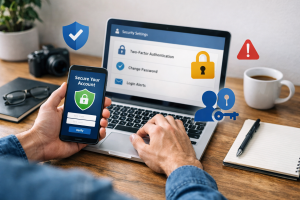

Online account security is a critical aspect of digital life. It involves protecting your personal information, financial data, and digital identity from unauthorized access and misuse. Understanding the basics of online security allows individuals to navigate the internet with greater confidence and reduce their risk of becoming victims of cybercrime. This article outlines key strategies for safeguarding online accounts, emphasizing proactive measures and vigilant practices.
Contents
- 1 Understanding the Importance of Online Account Security
- 2 Building a Strong Defense: Passwords and Authentication
- 3 Proactive Defense: Recognizing Threats and Securing Your Environment
- 4 Maintaining Vigilance: Monitoring and Secure Communication
- 5 Enhancing Your Security Posture: Updates, VPNs, and Expert Help
- 6 FAQs
- 6.1 1. Why is online account security important?
- 6.2 2. How can I create strong and unique passwords?
- 6.3 3. What is two-factor authentication, and how does it enhance security?
- 6.4 4. How can I recognize and avoid phishing attempts?
- 6.5 5. What are some best practices for securing my devices to protect my online accounts?
Understanding the Importance of Online Account Security
Daily life now seamlessly integrates with the digital landscape. A significant portion of personal and professional activities, from banking and shopping to communication and entertainment, take place online. Each online account acts as a digital key, unlocking access to various personal data. Compromise of these accounts can lead to identity theft, financial loss, reputational damage, and privacy breaches.
The Landscape of Cyber Threats
Cyber threats are diverse and constantly evolving. Attackers employ various methods to gain unauthorized access to accounts. These methods include phishing, malware, brute-force attacks, and social engineering. Recognizing the common tactics used by cybercriminals is the first step in effective defense. For example, phishing attacks often masquerade as legitimate communications, attempting to trick users into divulging credentials. Malware, such as viruses and spyware, can infect devices and silently steal data. An informed user is a prepared user, much like a homeowner understanding the common ways burglars might attempt to enter their property.
Personal and Financial Ramifications
The impact of compromised online accounts extends beyond the digital realm. Stolen financial information can result in unauthorized transactions and drained bank accounts. Identity theft can lead to long-term issues, including damaged credit scores, false legal charges, and difficulty accessing essential services. Personal data, if exposed, can be used for blackmail or sold on the dark web. The consequences are tangible, affecting financial stability and personal well-being.
Building a Strong Defense: Passwords and Authentication
The foundation of online account security rests on strong authentication methods. Think of these as the locks and keys to your digital doors.
Creating Strong and Unique Passwords
Passwords serve as the primary line of defense for most online accounts. A strong password is a complex string of characters that is difficult for others to guess or for automated tools to crack.
Characteristics of Robust Passwords
Effective passwords typically meet several criteria:
- Length: Longer passwords offer greater security. A minimum of 12-16 characters is recommended.
- Complexity: Incorporate a mix of uppercase and lowercase letters, numbers, and symbols. This randomness makes dictionary attacks less effective.
- Uniqueness: Each online account should have a distinct password. Reusing passwords across multiple sites creates a domino effect; if one account is compromised, all accounts using that same password become vulnerable.
- Avoidance of Personal Information: Dates of birth, pet names, or easily discoverable personal details should be avoided. These are easily guessed or found through social engineering.
Instead of trying to memorize complex random strings, consider using a password manager. These tools generate and securely store strong, unique passwords for all your accounts, requiring you to remember only one master password. They act as a secure vault for your digital keys.
Implementing Two-Factor Authentication (2FA) for Added Security
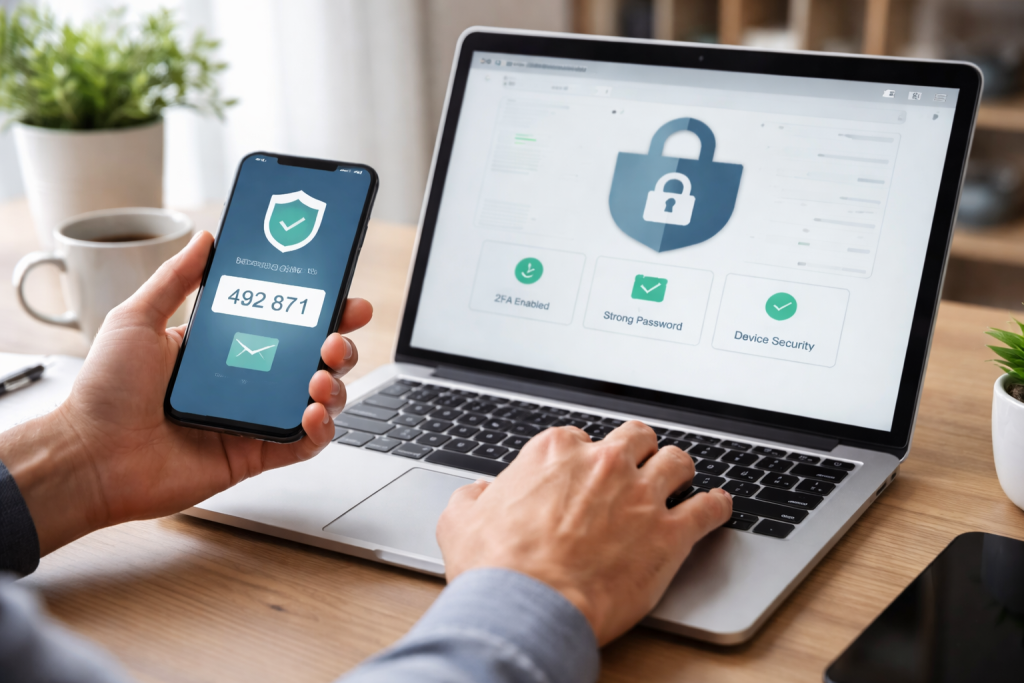
Two-factor authentication (2FA), also known as multifactor authentication (MFA), adds an extra layer of security beyond just a password. It requires users to provide two different forms of verification before granting access to an account.
How 2FA Works
Typically, 2FA involves something you know (your password) and something you have (a code sent to your phone, a physical token, or a biometric scan). Common forms of 2FA include:
- SMS codes: A numerical code sent to your registered mobile phone. While convenient, this method is susceptible to SIM-swapping attacks.
- Authenticator apps: Apps like Google Authenticator or Authy generate time-sensitive codes. These are generally more secure than SMS codes.
- Physical security keys: Devices like YubiKeys provide a hardware-based authentication method, offering a high level of security.
- Biometrics: Fingerprint scans or facial recognition, often used on mobile devices.
Enabling 2FA transforms a single lock into a double lock, making it significantly harder for unauthorized individuals to gain entry even if they manage to acquire your password. It is a critical defense mechanism that should be enabled whenever available.
Proactive Defense: Recognizing Threats and Securing Your Environment
Vigilance and a secure digital environment are also vital for protecting online accounts.
Recognizing and Avoiding Phishing Attempts
Phishing is a deceptive practice where attackers attempt to trick individuals into revealing sensitive information by impersonating trusted entities. These attempts often arrive via email, text messages, or direct messages on social media.
Common Phishing Indicators
Look for specific signs that suggest a communication might be a phishing attempt:
- Suspicious Sender: Emails from unfamiliar addresses or those that mimic legitimate organizations but have slight misspellings or unusual domain names.
- Urgent or Threatening Language: Messages that demand immediate action, threaten account closure, or promise unrealistic rewards. Attackers leverage panic or greed to bypass critical thinking.
- Poor Grammar and Spelling: Legitimate organizations typically maintain professional communication standards.
- Unusual Links or Attachments: Hover over links (without clicking) to inspect the URL. If it directs to an unexpected domain, do not click. Be wary of unsolicited attachments, especially executable files.
- Requests for Personal Information: Legitimate companies rarely ask for passwords, credit card numbers, or other sensitive data via email.
Treat unsolicited requests for personal information with skepticism. When in doubt, navigate directly to the official website of the organization in question rather than clicking on links in a suspicious email. Your discernment acts as a filter, preventing malicious content from reaching your accounts.
Securing Your Devices to Protect Your Online Accounts
The devices you use to access online accounts are potential points of vulnerability. A compromised device can expose all the accounts accessed through it.
Essential Device Security Practices
- Strong Device Passwords/PINs: Protect your computer, smartphone, and tablet with strong, unique passwords or biometric authentication.
- Up-to-Date Software: Regularly update your operating system, web browsers, and all applications. These updates often include security patches that fix vulnerabilities exploited by attackers.
- Antivirus and Anti-Malware Software: Install reputable security software and keep it updated. Regularly scan your devices for threats.
- Firewall: Enable your device’s firewall to control incoming and outgoing network traffic, preventing unauthorized access.
- Public Wi-Fi Caution: Avoid accessing sensitive accounts (like banking) over unsecured public Wi-Fi networks. These networks are often unencrypted, allowing others to potentially intercept your data. Use a Virtual Private Network (VPN) when using public Wi-Fi.
Your devices are the gates to your digital accounts. Keeping them secure creates a strong perimeter defense.
Maintaining Vigilance: Monitoring and Secure Communication
| Metrics | Value |
|---|---|
| Number of security alerts | 150 |
| Incident response time | 30 minutes |
| Number of secure communication channels | 5 |
| Percentage of monitored devices | 95% |
Proactive monitoring and secure communication channels contribute significantly to overall online account security.
Regularly Monitoring Your Online Accounts for Suspicious Activity
Even with strong passwords and 2FA, vigilance is necessary. Regularly checking your account activity can help you detect and react to unauthorized access quickly.
What to Look For
- Unfamiliar Login Locations: Many services display recent login activity, including IP addresses and locations. Investigate any logins from unusual places.
- Unrecognized Transactions: Review bank and credit card statements for any charges you don’t recognize.
- Account Changes: Look for changes to your profile information, password reset requests you didn’t initiate, or new email addresses added to your account.
- Odd Emails or Notifications: Receive alerts about activity you didn’t perform? Take them seriously.
Many online services offer notification options for unusual login attempts or account changes. Enable these alerts to receive immediate warnings. Early detection is key to mitigating damage; an immediate response can stop a small intrusion from becoming a full-scale compromise.
Using Secure and Encrypted Communication Channels
The privacy and security of your communications also impact your overall online safety. Unencrypted channels can expose sensitive information.
Choosing Secure Communication Tools
- End-to-End Encrypted Messaging: Use messaging apps that offer end-to-end encryption (e.g., Signal, WhatsApp) for sensitive conversations. This means only the sender and intended recipient can read the messages.
- Secure Email Providers: While not all email is end-to-end encrypted by default, choose providers that prioritize security and offer features like 2FA. Be cautious about sharing highly sensitive information via standard email.
- HTTPS Websites: Always ensure websites you visit use HTTPS (indicated by a padlock icon in your browser’s address bar). HTTPS encrypts the connection between your browser and the website, protecting your data in transit.
Think of secure communication channels as armored vehicles for your conversations, shielding them from prying eyes during their journey across the internet.
Enhancing Your Security Posture: Updates, VPNs, and Expert Help
Further strengthening your online security involves maintaining up-to-date software and leveraging specialized tools.
Keeping Your Software and Apps Updated for Enhanced Security
Software updates are not just about new features; they are crucial for security. Developers constantly discover and patch vulnerabilities in their software.
The Importance of Timely Updates
- Vulnerability Patches: Updates frequently contain fixes for security flaws that, if unaddressed, could be exploited by attackers.
- Improved Security Features: New versions often introduce enhanced security features and protections against emerging threats.
- Reduced Attack Surface: Outdated software presents a larger attack surface, giving cybercriminals more opportunities to find weaknesses.
Enable automatic updates whenever possible, or make a habit of checking for and installing updates promptly. Procrastinating on updates is like leaving a broken window in your house, inviting trouble.
Utilizing Virtual Private Networks (VPNs) for Secure Browsing
A Virtual Private Network (VPN) creates a secure, encrypted connection (a “tunnel”) over a less secure network, such as the internet.
Benefits of Using a VPN
- Data Encryption: A VPN encrypts your internet traffic, making it unreadable to anyone who might try to intercept it, such as on public Wi-Fi networks.
- IP Address Masking: A VPN hides your true IP address, making it more difficult for websites and third parties to track your online activity and geographical location.
- Circumventing Geo-Restrictions: While primarily a security tool, VPNs can also allow access to geo-restricted content.
Choose a reputable VPN provider that has a strong no-logging policy. A VPN acts as a cloak, obscuring your digital identity and activities from unauthorized observers.
Seeking Professional Help for Online Account Security Concerns
Despite best efforts, individuals may encounter complex security issues or fall victim to cybercrime. In such cases, professional help can be invaluable.
When and Where to Seek Assistance
- Identity Theft: If you suspect identity theft, contact relevant credit bureaus, financial institutions, and law enforcement.
- Account Compromise: If an account is compromised, change passwords immediately (if possible), enable 2FA, and contact the service provider’s support team.
- Malware Infection: If your device is heavily infected and you cannot resolve it, a cybersecurity professional can help clean your system.
- Complex Scams: For advanced phishing or social engineering scams, reporting to relevant authorities can help others avoid similar fates.
Don’t hesitate to seek expert advice when faced with overwhelming security challenges. Just as you’d consult a doctor for a complex medical issue, defer to cybersecurity professionals for intricate digital threats.
By adopting these strategies, you can significantly enhance the security of your online accounts and protect your digital life from an evolving landscape of threats. Prioritizing online security is no longer optional; it is a fundamental requirement for navigating the modern interconnected world.
FAQs
1. Why is online account security important?
Online account security is important because it helps protect your personal and sensitive information from unauthorized access, identity theft, and financial fraud. It also helps prevent unauthorized use of your accounts and keeps your online activities private.
2. How can I create strong and unique passwords?
To create strong and unique passwords, use a combination of uppercase and lowercase letters, numbers, and special characters. Avoid using easily guessable information such as your name, birthdate, or common words. Consider using a password manager to generate and store complex passwords for each of your accounts.
3. What is two-factor authentication, and how does it enhance security?
Two-factor authentication (2FA) adds an extra layer of security to your online accounts by requiring a second form of verification, such as a code sent to your mobile device, in addition to your password. This helps prevent unauthorized access even if your password is compromised.
4. How can I recognize and avoid phishing attempts?
Phishing attempts often involve deceptive emails, websites, or messages that appear to be from legitimate sources but are designed to trick you into revealing personal information. To avoid falling for phishing scams, carefully scrutinize the sender’s email address, avoid clicking on suspicious links, and verify the authenticity of requests for sensitive information.
5. What are some best practices for securing my devices to protect my online accounts?
To secure your devices, regularly update your operating system and applications to patch security vulnerabilities, use strong and unique passwords or biometric authentication, enable device encryption, install reputable antivirus and antimalware software, and avoid connecting to unsecured public Wi-Fi networks. Additionally, consider using a virtual private network (VPN) for secure browsing and communication.

Hamza Khan is the author and founder of TechFixLogic.info, a platform dedicated to providing practical software guides, tech solutions, and cybersecurity awareness. With a strong interest in technology and digital security, Hamza focuses on creating easy-to-understand tutorials that help users fix software issues, improve their digital skills, and stay safe online.
Through TechFixLogic.info, he shares step-by-step guides, troubleshooting tips, and cybersecurity insights designed for beginners as well as regular computer users. His goal is to simplify technology and make reliable tech knowledge accessible to everyone.