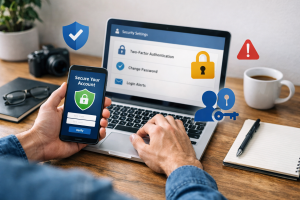
Computer users face a growing threat from fake software downloads, often disguised as legitimate programs. These deceptive downloads can infect computers with malware, steal personal information, or lead to financial loss. Understanding how to identify and avoid these fakes is crucial for maintaining digital security.
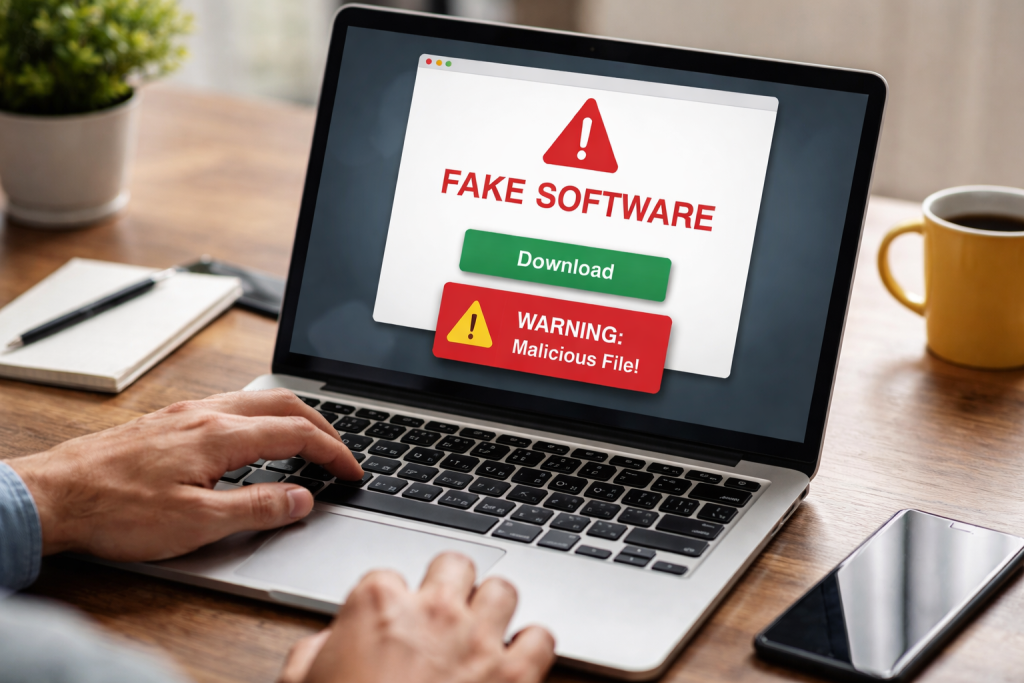
Contents
- 1 Understanding the Risks of Fake Software Downloads
- 2 Signs of Fake Software: How to Spot Them
- 3 Common Tactics Used by Scammers to Distribute Fake Software
- 4 The Dangers of Installing Fake Software on Your Computer
- 5 Tips for Avoiding Fake Software Downloads
- 5.1 Download Software Only from Official Sources
- 5.2 Read Reviews and Research Before Downloading
- 5.3 Be Wary of “Free” Software Offers
- 5.4 Use Antivirus and Antimalware Software
- 5.5 Carefully Review Installation Prompts
- 5.6 Avoid Clicking on Suspicious Ads and Pop-ups
- 5.7 Understand the Difference Between Updates and Downloads
- 6 How to Verify the Authenticity of Software Downloads
- 7 Best Practices for Protecting Your Computer from Fake Software
- 8 Resources for Reporting and Removing Fake Software
- 9 The Importance of Regular Software Updates and Security Measures
- 10 Educating Others: Spreading Awareness about Fake Software Downloads
- 11 FAQs
- 11.1 1. What are the risks of downloading fake software?
- 11.2 2. How can I identify fake software downloads?
- 11.3 3. What tactics do scammers use to distribute fake software?
- 11.4 4. What are the dangers of installing fake software on my computer?
- 11.5 5. How can I protect my computer from fake software downloads?
Understanding the Risks of Fake Software Downloads
Fake software downloads are a significant security concern. They are often designed to look like popular or necessary applications, tricking unsuspecting users into installing them. These imposters are not harmless; they are vectors for malicious activity. Once installed, they can operate in the background, compromising your system and your data.
Malware and Viruses
One of the primary dangers of fake software is the payload of malware and viruses it carries. These malicious programs can range from simple adware that bombards you with unwanted advertisements to destructive viruses that corrupt your files or ransomware that locks your system until a payment is made. Think of it like accepting a gift from a stranger; you don’t know what’s inside, and it could be harmful.
Data Theft and Identity Fraud
Fake software is often a tool for cybercriminals to pilfer sensitive information. This can include login credentials for online banking, email accounts, social media, or even personal identification details like your social security number. With this data, scammers can engage in identity theft, opening fraudulent accounts or making unauthorized purchases in your name. Your digital identity is a valuable asset, and fake software is a threat to its security.
System Performance Degradation
Even if a fake download doesn’t contain outright destructive malware, it can still severely impact your computer’s performance. These programs can consume significant system resources, slowing down your computer to a crawl, causing applications to crash, and making basic tasks frustratingly difficult. It’s like adding weights to your computer’s engine, hindering its normal operation.
Financial Loss
Direct financial loss can occur in several ways. Some fake software may trick you into paying for a “premium” version that offers no real value, or it may install programs that demand payments for their removal. Furthermore, if your financial information is stolen, the cost of recovering from identity fraud can be substantial, both in terms of money and time.
Signs of Fake Software: How to Spot Them
Identifying fake software requires a vigilant approach. Scammers are adept at making their illegitimate offerings appear convincing, but there are telltale signs to watch out for.
Unsolicited Pop-ups and Advertisements
A common way fake software is pushed is through aggressive pop-up advertisements or banners on websites. These ads often claim you have a virus, that your software is out of date, or that you’ve won a prize, urging you to download a “fix” or an “update.” If you receive persistent, alarming pop-ups demanding immediate action, it’s a strong indicator of a scam.
Suspicious Website Design and URLs
Legitimate software companies typically have professional, well-maintained websites. Fake software download sites might appear amateurish, filled with grammatical errors, low-quality images, or excessive use of sensational language. Always scrutinize the web address (URL). Scammers often use slightly altered versions of known company names or domains that seem unusual but plausible. For example, “microsoft-update.net” instead of “microsoft.com.”
Unrealistic Promises and Claims
If a piece of software promises to do something extraordinary, like drastically speed up your computer overnight or provide access to premium content for free, approach it with extreme caution. Such exaggerated claims are a hallmark of fake software. No legitimate application can perform miracles; they operate within established technological boundaries.
Lack of Official Contact Information and Reviews
Reputable software developers provide clear contact information, including physical addresses, phone numbers, and customer support email addresses. They also typically have a presence on professional networking sites and receive reviews from users. If a download source lacks verifiable contact details or has overwhelmingly negative or suspiciously generic positive reviews, it’s a red flag.
Unexpected Installations
If you install one program and find several other unfamiliar applications have also been installed on your computer without your explicit consent, it signals that you’ve likely downloaded something illegitimate or bundled with unwanted software.
Common Tactics Used by Scammers to Distribute Fake Software
Scammers employ a variety of methods to deliver their fake software to unsuspecting users. Awareness of these tactics is key to avoiding them.
Malvertising and Deceptive Ads
Malvertising involves embedding malicious code within online advertisements. These ads can appear legitimate, but clicking on them or even visiting a webpage containing them can trigger a fake software download. These are like traps set on the internet highway.
Phishing Emails and Messages
Phishing campaigns use emails or instant messages that appear to be from trusted sources, such as banks, online stores, or service providers. These messages often contain links that, when clicked, lead to websites offering fake software downloads disguised as important updates or required security software.
Bundling with Free Software
Many free applications available on the internet come bundled with optional extra software. While not all bundled software is malicious, scammers frequently use this method to sneak in their fake programs. Users who hastily click through installation wizards without carefully reviewing each step are particularly vulnerable to this.
Torrent and File-Sharing Sites
Although intended for legal file sharing, torrent and peer-to-peer networks are often hotbeds for pirated software or software disguised as legitimate downloads. Downloading from these sources carries a high risk of infection.
Fake Tech Support Scams
These scams involve pop-up messages or phone calls claiming that your computer has a serious problem. They provide a toll-free number to call for “support.” When you call, the scammer will guide you to download software that they claim will fix the issue but which actually infects your computer and gives them remote access or leads to demands for payment.
The Dangers of Installing Fake Software on Your Computer
| Software | Dangers |
|---|---|
| Malware | Can steal personal information, damage files, and disrupt computer operations |
| Phishing | Can trick users into revealing sensitive information such as passwords and credit card numbers |
| Ransomware | Can encrypt files and demand payment for their release |
| Spyware | Can monitor user activity and collect personal information without consent |
Installing fake software is akin to opening your computer’s doors to unwanted and potentially harmful guests. The consequences can be far-reaching and deeply problematic.
Compromised System Integrity
Once fake software is installed, it can alter your operating system settings, disable security features, and create backdoors for further attacks. This compromise makes your entire system vulnerable to a cascade of security breaches. The integrity of your digital home is fundamentally weakened.
Loss of Sensitive Personal and Financial Data
As mentioned, fake software is a primary tool for stealing your personal and financial information. This theft can lead to credit card fraud, bank account compromise, and even identity theft, which can take years to resolve and have lasting financial and personal repercussions.
Spread of Malware to Others
Some fake software is designed to spread like a virus, attempting to infect other computers on your network or through your email contacts. This makes you an unwitting accomplice in spreading digital harm.
Unrecoverable Data Loss
In the most severe cases, ransomware or destructive malware delivered through fake software can encrypt or permanently delete your important files. This data loss can be devastating if you do not have adequate backups.
Legal and Service Ramifications
Using or distributing pirated software, which fake software often masquerades as, can have legal consequences. Furthermore, installing unauthorized or malicious software can violate the terms of service for your internet provider or other online services, potentially leading to account suspension.
Tips for Avoiding Fake Software Downloads
Prevention is always better than a cure when it comes to cybersecurity. By following these tips, you can significantly reduce your risk of falling victim to fake software downloads.
Download Software Only from Official Sources
The most critical rule is to obtain software directly from the official website of the developer or through trusted app stores. If you are looking for Microsoft software, go to microsoft.com. If you want Adobe products, go to adobe.com. Avoid third-party download sites, especially those that aggregate software from various sources.
Read Reviews and Research Before Downloading
Before downloading any software, take a few moments to search for reviews. Look for what other users are saying about the application and its source. Legitimate software usually has a significant number of reviews on reputable tech sites or app marketplaces.
Be Wary of “Free” Software Offers
While many legitimate free applications exist, be exceptionally cautious of offers that seem too good to be true. Scammers often use the lure of “free” to distribute their malicious wares. If a program that is normally paid for is suddenly offered for free by an unknown source, it is almost certainly a trap.
Use Antivirus and Antimalware Software
Ensure you have reputable antivirus and antimalware software installed on your computer and that it is kept up to date. These programs can often detect and block known malicious downloads before they can be installed. Think of them as your digital security guards.
Carefully Review Installation Prompts
When installing any software, always take the time to read each screen of the installation wizard. Pay close attention to any checkboxes that are pre-selected, as these often indicate the installation of additional, potentially unwanted or malicious, programs. Opt for a “custom” or “advanced” installation if you want more control.
Avoid Clicking on Suspicious Ads and Pop-ups
Train yourself to ignore or close unsolicited pop-up advertisements that urge you to download something. If a pop-up claims your computer is infected or needs an immediate update, it is almost always a scam. Do not click on the links or buttons within these ads.
Understand the Difference Between Updates and Downloads
For example, when Windows or macOS prompts you to update your operating system, it’s a legitimate process. However, if a random website tells you your Adobe Flash Player is outdated and offers a download link, be highly skeptical. Official software updates are typically pushed through the software’s own update mechanism or the operating system’s update manager.
How to Verify the Authenticity of Software Downloads
Even when downloading from what appears to be a legitimate source, an extra layer of verification can provide peace of mind.
Check the Website’s security certificate.
Legitimate websites, especially those handling downloads or financial transactions, use HTTPS and display a padlock icon in the browser’s address bar. This indicates that the connection is encrypted and the website’s identity has been verified by a certificate authority. While not foolproof, its absence on a download page is a significant warning sign.
Look for Digital Signatures
Reputable software developers often digitally sign their applications. This signature acts like a digital seal of authenticity, confirming that the software has not been tampered with since it left the developer’s hands. You can often check for digital signatures within the file properties on your operating system.
Compare Download Links with Official Sources
Before clicking any download link, especially if you arrived at the page through an advertisement or email, navigate to the software developer’s official website manually. Find the download page directly from there and compare the link. Any discrepancy is a major red flag.
Scrutinize File Names and Extensions
Be cautious of executables with unusual or generic file names. Legitimate software downloads typically have clear and descriptive file names, often including the software’s name and version number.
Use Online Virus Scanners to Check Files
Before running any downloaded executable file, consider uploading it to an online virus scanner, such as VirusTotal. These services scan files with multiple antivirus engines, offering a comprehensive check for malware.
Best Practices for Protecting Your Computer from Fake Software
Integrating these practices into your regular digital habits will build a strong defense against fake software and other online threats.
Maintain Updated Operating System and Applications
Software developers frequently release updates that patch security vulnerabilities. By keeping your operating system, web browser, and other applications up to date, you close the doors that scammers might try to exploit. This is like regularly reinforcing the walls of your digital fortress.
Employ Strong, Unique Passwords and Two-Factor Authentication
While not directly related to fake downloads, strong passwords and two-factor authentication protect your accounts if your credentials are compromised through other means. This adds an extra lock on your digital doors.
Regularly Back Up Your Important Data
In the unfortunate event that your computer is compromised by malware from a fake download, having regular backups of your important files will allow you to restore your data without paying a ransom or losing critical information.
Be Skeptical of Unexpected Prompts and Requests
Develop a habit of questioning any unusual prompts, requests for personal information, or urgent demands that appear on your computer or in your communications. If something feels off, it probably is.
Educate Yourself and Stay Informed
The threat landscape is constantly evolving. Staying informed about the latest scams and cybersecurity best practices is crucial. Regularly reading articles from reputable cybersecurity sources can provide valuable insights.
Resources for Reporting and Removing Fake Software
If you suspect you have encountered or downloaded fake software, there are steps you can take to report it and attempt to remove it.
Reporting Mechanisms
Internet Crime Complaint Center (IC3): Operated by the FBI, IC3 is a valuable resource for reporting cybercrimes, including those involving fake software and online scams.
Federal Trade Commission (FTC) Complaint Assistant: The FTC accepts complaints about various unfair or deceptive business practices, including online scams and fraudulent software.
Microsoft Safety & Security Center: Microsoft provides tools and resources for reporting malicious software and security threats related to its products.
Consumer Protection Agencies: Many countries have national consumer protection agencies that handle complaints about fraudulent online activities.
Removing Fake Software
Run a Full Scan with Reputable Antivirus/Antimalware Software: The first and most important step is to use your installed security software. Perform a deep scan to detect and remove any malicious files.
Use Specialized Removal Tools: For stubborn fake software or malware, reputable security companies often offer free, specialized removal tools designed to tackle specific threats.
System Restore: If the fake software has significantly altered your system settings, you may be able to use the System Restore feature in Windows to revert your computer to an earlier state before the infection occurred.
Seek Professional Help: If you are unable to remove the fake software yourself, consider taking your computer to a trusted IT professional.
The Importance of Regular Software Updates and Security Measures
The ongoing commitment to keeping software updated and employing layered security measures is not optional; it is a fundamental requirement for maintaining a secure computing environment.
Patching Vulnerabilities
Software updates, especially those from operating system developers and major application providers, are primarily designed to repair security vulnerabilities. These are like tiny holes in an otherwise strong defense. Cybercriminals actively search for and exploit these holes to gain unauthorized access. By installing updates promptly, you are essentially patching these holes before they can be exploited.
Enhancing Functionality and Performance
Beyond security, updates often bring performance improvements and new features. A well-maintained system runs more smoothly and efficiently, contributing to a better user experience. This is comparable to getting regular maintenance for your car; it keeps it running in optimal condition.
Proactive Defense Strategy
Relying solely on antivirus software after an infection has occurred is a reactive approach. A proactive strategy involves building multiple layers of defense. This includes strong passwords, careful browsing habits, consistent software updates, and using security software that can detect and block threats in real-time, before they can cause damage.
Adapting to Evolving Threats
Cybercriminals are constantly developing new methods to deceive users and distribute malware. Security software developers and operating system providers work to counter these evolving threats. Staying updated ensures that your defenses are current and can recognize new attack vectors. This continuous adaptation is vital to staying ahead in the cybersecurity arms race.
Educating Others: Spreading Awareness about Fake Software Downloads
Your own security is important, but you can also play a role in protecting your friends, family, and colleagues by sharing knowledge about the dangers of fake software.
Open and Honest Conversations
Talk about your own experiences or the experiences of others you know who have been affected by fake software. Explain the risks in simple, clear terms. Avoid technical jargon that might confuse them.
Point people towards trusted websites and organizations that offer information on cybersecurity. Resources like government consumer protection sites or reputable tech news outlets can be excellent sources of information.
Demonstrate Safe Practices
Show them how to identify suspicious websites, how to check download sources, and how to use security software. Practical demonstrations can be very effective in reinforcing good habits.
Encourage Skepticism
Instill a sense of healthy skepticism. Encourage them to question unexpected pop-ups, unsolicited emails, and offers that seem too good to be true. A moment of pause can prevent a significant problem.
Support and Patience
When educating others, be patient and supportive. Not everyone is as tech-savvy, and learning new security habits takes time and practice. Offer ongoing assistance and reassurance. By spreading awareness, you contribute to a safer digital community for everyone.
FAQs
1. What are the risks of downloading fake software?
Downloading fake software can expose your computer to a variety of risks, including malware, viruses, and other security threats. Fake software may also compromise your personal information and lead to financial loss.
2. How can I identify fake software downloads?
Fake software downloads often have signs such as misspelled or unusual URLs, poor website design, and promises of unrealistic benefits. Additionally, fake software may prompt you to provide personal information or payment before downloading.
3. What tactics do scammers use to distribute fake software?
Scammers may use tactics such as phishing emails, fake pop-up ads, and search engine manipulation to distribute fake software. They may also create counterfeit versions of popular software to deceive users.
4. What are the dangers of installing fake software on my computer?
Installing fake software can lead to a range of dangers, including system instability, data loss, identity theft, and unauthorized access to your computer. It can also compromise the security of your personal and financial information.
5. How can I protect my computer from fake software downloads?
To protect your computer from fake software downloads, it’s important to verify the authenticity of software sources, keep your software updated, use reputable antivirus and antimalware programs, and educate yourself and others about the risks of fake software.

Hamza Khan is the author and founder of TechFixLogic.info, a platform dedicated to providing practical software guides, tech solutions, and cybersecurity awareness. With a strong interest in technology and digital security, Hamza focuses on creating easy-to-understand tutorials that help users fix software issues, improve their digital skills, and stay safe online.
Through TechFixLogic.info, he shares step-by-step guides, troubleshooting tips, and cybersecurity insights designed for beginners as well as regular computer users. His goal is to simplify technology and make reliable tech knowledge accessible to everyone.